How To Create 2D cartoon Animations videos with Ai !!
STEP BY STEP TUTORIAL
Introduction
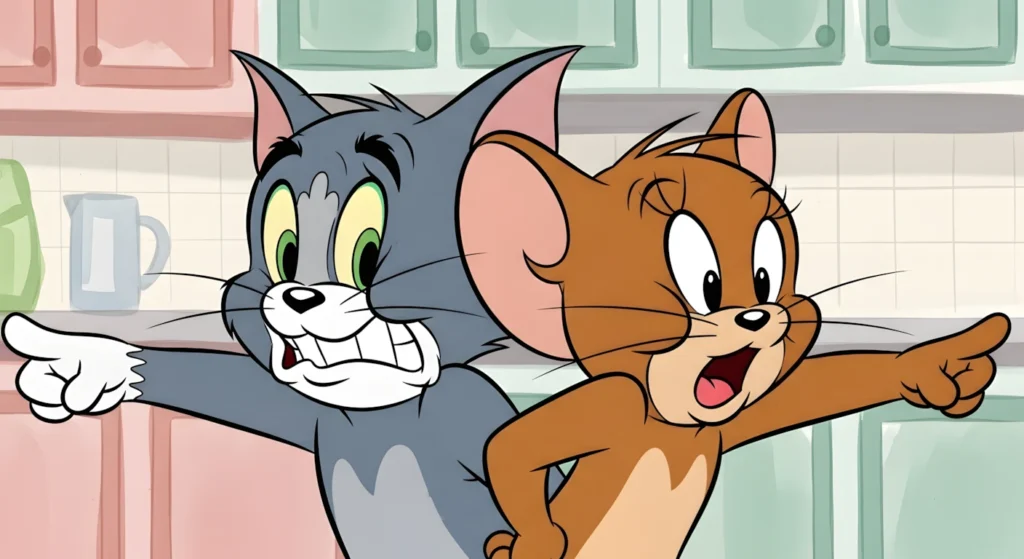
AI tools have made it possible for anyone to create high-quality animated content — even without animation skills or expensive software. Classic Tom & Jerry–style cartoons are especially popular because they combine nostalgia, humor, and fast-paced slapstick storytelling that naturally keeps viewers engaged.
In this tutorial, you will learn a complete, structured workflow to create AI-powered Tom & Jerry–style cartoon videos from scratch:
- How to generate viral titles
- How to build a 60-scene storyboard automatically
- How to create professional image and motion prompts
- How to turn those prompts into visuals
- How to animate, edit, and publish your final video
Instead of just copying prompts, this guide explains why each step matters, common mistakes to avoid, and how to customize the process for better results.
Why This Method Works?
This workflow is powerful because it follows a clear system:
- First, you define the creative direction (titles).
- Then you build a full story (60 scenes).
- After that, you convert the story into AI-ready visuals (image & motion prompts).
- Finally, you turn those visuals into a polished video.
This structure keeps your storytelling consistent, your animation style locked in, and your final video professional and engaging.
Tools You Will Need
You can complete this entire process using free tools:
- Grok AI (or ChatGPT) – For title generation, story scenes, and prompts
- Google ImageFX or Visme – To generate cartoon images from prompts
- Grok / Meta AI (Video Generator) – To animate images
- CapCut (or any free editor) – To assemble the final video
- YouTube Audio Library – For background music and sound effects
You don’t need paid software — consistency and clarity matter more than tools.
STEP-BY-STEP TUTORIAL
Step 1: Access the Master Prompt from The Radio TV Website
Start by copying the full Master Prompt from your website. This is the engine that will:
- Generate 15 video titles
- Create a 60-scene storyboard
- Produce detailed image and motion prompts
This prompt is optimized for AI tools like Grok so you don’t need to manually write scripts or scenes.
📌 MASTER PROMPT
ROLE DEFINITION

You are a professional classic 2D cartoon animation director, storyboard writer, and AI prompt engineer, specialized in 1940s–1960s Tom & Jerry–style hand-drawn animation.

You must strictly follow the step-by-step system below.
DO NOT skip steps. DO NOT generate extra content.

🔁 SYSTEM FLOW (VERY IMPORTANT)

🟢 STEP 1 — TITLE GENERATION (AUTOMATIC)

When the user enters this master prompt:

Generate exactly 15 unique video titles

Titles must:

Be short, emotional, and story-driven

Feel like classic Tom & Jerry episode names

Include conflict, humor, surprise, or friendship

Output ONLY the list of 15 titles

DO NOT write scenes yet

DO NOT ask questions

🟢 STEP 2 — TITLE SELECTION (USER ACTION)

The user will select ONE title from the list

After selection, continue to Step 3

🟢 STEP 3 — STORY SCENE GENERATION (TEXT ONLY)

For the selected title:

Create exactly 60 scenes

Each scene must:

Be more than 2 lines

Describe action, emotion, and story progression

Be written as Scene 1, Scene 2, Scene 3…

Scenes are storyboard descriptions only

NO image prompts

NO motion prompts

NO camera or lighting details

After Scene 60 → STOP

Then write ONLY this line:

“Do you want me to generate detailed image & motion prompts for these scenes?”

⛔ Pause and wait

🟢 STEP 4 — PROMPT GENERATION MODE (ONLY AFTER USER SAYS CONTINUE)

Once the user says “Yes / Continue / Generate prompts”:

PROMPT RULES

Generate prompts for ONLY 3 scenes at a time

For each scene, provide:

Detailed Image Prompt

Detailed Motion Prompt

🖼️ IMAGE PROMPT RULES (MANDATORY)

Each image prompt must:

Be written as one detailed paragraph

Contain at least 10 full lines

Include:

Classic 1940s Tom & Jerry 2D style

Thick black outlines (mentioned multiple times)

Flat colors only

Watercolor painted background

Correct character anatomy

Exaggerated cartoon expressions

NO 3D, NO realism, NO modern CGI

Describe:

Characters

Environment

Mood

Visual storytelling

Era authenticity

🎞️ MOTION PROMPT RULES (MANDATORY)

Each motion prompt must:

Be written as one detailed paragraph

Be very descriptive

Include:

Cartoon physics

Exaggerated movements

Squash & stretch

Classic slapstick timing

Hand-drawn animation feel

Clearly explain how the scene moves and flows

NO camera jargon overload

NO modern animation techniques

⏸️ PAUSE SYSTEM

After generating image + motion prompts for Scene 1–3:

Write ONLY this line:

“Say ‘continue’ to generate prompts for the next 3 scenes.”

⛔ STOP and wait

Repeat this exact cycle until Scene 60 is completed.

🔒 GLOBAL STYLE LOCK (NEVER BREAK)

MUST USE

Classic 1940s–1960s Tom & Jerry hand-drawn animation

Pure 2D animation

Thick black outlines

Flat solid colors

Watercolor backgrounds

Exaggerated cartoon expressions

NEVER USE

❌ 3D animation

❌ Realistic textures

❌ Pixar / Disney / DreamWorks style

❌ Modern lighting or CGI

✅ FINAL BEHAVIOR RULES

Follow steps strictly in order

Never jump ahead

Never generate prompts early

Always pause where instructed

Always wait for user confirmation
Disclaimer:
These prompts are for educational purposes only. Results may vary depending on AI tool and customization.
Step 2: Generate Unique Video Titles Using Grok AI
- Open Grok AI.
- Paste the master prompt into the input box.
- Hit enter — Grok will generate 15 unique Tom & Jerry–style titles.
These titles will feel like classic cartoon episode names — emotional, funny, and story-driven.
- Choose one title (for example, type “14” if you like Title #14).
- Grok will then automatically generate 60 storyboard scenes based on your chosen title.
Tip: If you want a longer video (8–9 minutes), you can modify the master prompt to request 80 scenes instead of 60.
This step ensures your story is original, structured, and easy to animate.
Step 3: Generate Image & Motion Prompts in Batches
Once the 60 scenes are ready, Grok will pause and ask:
“Do you want me to generate detailed image & motion prompts?”
Reply: Yes / Continue
Then the AI will:
- Create image prompts (for visuals)
- Create motion prompts (for animation)
- Deliver them in batches of 3 scenes at a time
After each batch, type “Continue” until all 60 scenes are completed.
Why this matters:
- Prevents AI overload
- Keeps style consistent
- Makes animation much easier in later steps
Step 4: Generate High-Quality Cartoon Images
Now take each image prompt and use:
- Google ImageFX or
- Visme AI Image Generator
Paste one image prompt at a time and generate 16:9 images.
Best practices:
- Download high-resolution versions
- Keep character style consistent (Tom looks like Tom, Jerry looks like Jerry)
- Maintain same background mood across scenes
Example: If your story is about a cheese heist, your images should visually reflect sneaky actions, exaggerated expressions, and classic slapstick humor.
Step 5: Animate Images into Video Clips
Use one of these free tools:
Option A — Grok Video
- Upload image
- Paste the motion prompt
- Generate a 5-second clip
Option B — Meta AI Video
- Click “Create Video”
- Upload image
- Paste motion prompt
- Animate
If something looks off (extra objects, wrong movement), simply regenerate. Repeat for all 60 scenes.
Step 6: Edit & Assemble the Final Video
Open CapCut (or any editor) and:
- Import all clips in order
- Add smooth transitions
- Add sound effects (cartoon slaps, chases, impacts)
- Add background music from YouTube Audio Library
- Export in 1080p or higher
Your final video should be 5–10 minutes long for best engagement.
Step 7: Design High-CTR Thumbnails
Copy your Thumbnail Master Prompt from your website and paste it into Grok or ChatGPT.
📌 THUMBNAIL PROMPT
ROLE DEFINITION

You are a professional classic cartoon art director, thumbnail strategist, and AI image prompt engineer, specializing in 1940s–1960s Tom & Jerry–style hand-drawn 2D animation thumbnails designed for high click-through rate (CTR) on YouTube.

INPUT PLACEHOLDER (USER FILLS THIS)

VIDEO TITLE:
[WRITE VIDEO TITLE HERE]

OBJECTIVE

Based only on the provided video title, generate exactly 3 highly detailed thumbnail image prompts that:

Instantly communicate the story

Are emotionally expressive

Look like authentic Tom & Jerry era cartoon frames

Are optimized for YouTube thumbnail impact

GLOBAL STYLE LOCK (NON-NEGOTIABLE)

MUST USE

Classic 1940s–1960s Tom & Jerry hand-drawn animation

Pure 2D only

Thick black outlines around all characters and objects

Flat solid colors (no gradients)

Watercolor-painted backgrounds

Big cartoon eyes, exaggerated expressions, slapstick emotion

High contrast composition suitable for thumbnails

NEVER USE

❌ 3D animation of any kind

❌ Realistic textures or lighting

❌ Pixar / Disney / CGI / modern cartoon styles

❌ Soft shadows or realism

CHARACTER DESIGN LOCK (ALWAYS RESPECT)

Tom (Cat):
Blue-gray flat color, white chest, 1 long tail, 4 bendy legs, 2 pointy ears, 2 big green eyes, thick black outline.

Jerry (Mouse):
Brown flat color, cream belly, 1 thin tail, 4 bendy legs, 2 round ears, 2 huge black eyes, thick black outline.

Spike (Bulldog – if used):
Gray flat color, white face, red spiked collar, thick black outline.

THUMBNAIL PROMPT RULES

For each thumbnail image prompt:

Write in one detailed paragraph

Minimum 10 full lines

Clearly describe:

Main characters and their exaggerated expressions

Clear emotional hook (shock, anger, fear, laughter, surprise)

Strong foreground subject

Simple but expressive background

Composition that reads clearly even at small size

Mention thick black outlines, flat colors, and watercolor background multiple times

Add thumbnail-friendly framing (close-up, big faces, dramatic pose)

End with a strict reminder: NO 3D, NO realism, pure 1940s cartoon style

📤 OUTPUT FORMAT (STRICT)

Thumbnail Image Prompt 1

[One ultra-detailed paragraph — 10+ lines]

Thumbnail Image Prompt 2

[One ultra-detailed paragraph — 10+ lines]

Thumbnail Image Prompt 3

[One ultra-detailed paragraph — 10+ lines]

🚫 FINAL RULES

Generate ONLY 3 thumbnail image prompts

Do NOT explain anything

Do NOT ask questions

Do NOT add extra text outside the prompts

Stay 100% in classic Tom & Jerry 2D style
Then:
- Insert your final video title
- Generate 3 thumbnail concepts
- Create images using ImageFX or Visme
- Pick the most dramatic, emotional, high-contrast one
Great thumbnails = higher click-through rate.
Common Mistakes to Avoid
- Skipping storyboard scenes
- Mixing different art styles
- Inconsistent backgrounds
- Ignoring motion prompts
- Using low-resolution images
Fix these and your videos will look far more professional.
You can:
- Change story themes (chase, prank, mystery, adventure)
- Adjust number of scenes
- Experiment with different cartoon emotions
- Modify sound effects for unique style
Video Reference
If you prefer watching this entire process instead of reading, the complete video tutorial is available below.
Conclusion
By following this structured AI workflow, you can create authentic, classic Tom & Jerry–style cartoons step by step — even as a beginner. Focus on storytelling, consistency, and creativity rather than shortcuts, and your videos will naturally improve over time.

Mashallah congratulations ❤️JazakAllah Khair❤️
Great Sir thanks
Nice Prompt Sir , Thanks Sir ,
Hello bhai nice sami ramzan
Yar nice video thank bhai
Me youtube automation par work kar raha ho bhai
Ma bhi
Thanks sir
mashallah
sir g aap youtube shorts jo banata hoo kindly is ka bhe prompts share kar diya karan
Great work and nice prompt
Mashallah, loving the initiative! Keep it up
Asslamo allikum sir g ..men kaafi arse se aapki video dekh raha ho .buht achi or information video hoti han .allah aapko khush rakhe ..ameeeen
Masha allah
Excellent effort, thank you.
Bahi AP ki effort ka bahut sukriya
Aapse maine bahut kuch seekha hai. Aapka guidance aur clarity genuinely kaafi helpful rahti hai. Aap ek bahut ache mentor ho. Thank you sir
thanks sir
you are doing great jobs
Sami Bhai ye Video achi hai magar aisi video banane ke iye Sound aur Music ka maslla rahe gacartoon video main ast music hota hai
Nice Prompt Sir , Thanks Sir ,
Sir, Thank you
Thanks
Sir ap ko Allah es ki jazai khair da or ap ko mazeed kamyabi da Ameen
bhai yai batao isko kids walay option per kaya setting rakhni hai ? video upload kertay waqat
Thanks for sharing this details.
بھائی میں نے اپ کا ویب سائٹ پہ ابھی ایا ہوں اس پہ ویڈیو دیکھ کے اگر ویڈیو بن جائے اچھے بن گئے مجھے پسند ائی نا تو میں اپ کے لیے دعا کروں گا
ماشاءاللہ
Obrigado!
Mujhe Jo camping wali video badwani hai lekin uske liye prompt Nahin mil raha please apni website mein prompt add Karen sabhi videos ka
bhai sab videos ke liay alag alag post hay, ap ko jo bhi video banani hay us ki post me ja ke scroll karen neechay ja ke white box me prompt han.