How To Create (knitted yarn texture) ISLAMIC STORY VIDEOS WITH AI
Introduction
AI-powered video creation has completely transformed content creation in recent years. With the right tools, storytelling techniques, and visual style, you can create deeply emotional Islamic story videos that have the potential to reach millions of viewers.
In this guide, you will learn a complete, practical, step-by-step method to create high-quality, silent Islamic story videos using AI — with a unique knitted wool (yarn) visual style that makes your content stand out from the crowd. This method is inspired by successful channels but customized for Islamic storytelling and moral lessons.
Why This Trend Works (Concept Explanation)
Why audiences love it?
Viewers are drawn to the “wool-knit” or textile aesthetic because it feels soft, nostalgic, and non-threatening. Unlike hyper-realistic AI images, this style reduces visual noise and lets people focus on emotion and meaning. Silence (no voiceover) plus carefully chosen sound effects also makes the videos watchable in any environment — on mute in public, or fully immersed at home.
Why it performs well algorithmically?
These videos tend to have strong visual hooks in the first 2–3 seconds, slow but steady pacing, and clear scene transitions — all of which improve average watch time and rewatch rate. Short scenes (1.5–2 lines of description each) make the story easy to follow without text overload.
Why AI is suitable here?
AI excels at:
- Generating many scene variations quickly
- Maintaining a consistent art style (when guided properly)
- Producing motion from still images
- Creating thumbnails that match the story mood
The key is structure. You are not “randomly generating art”; you are directing AI like a film producer with clear master prompts.
Tools & Setup (What You Need and Why)
- Claude (AI text assistant)
- Role: Generates story titles, 24 structured scenes, and detailed image + motion prompts.
- Why it matters: It acts as your “scriptwriter + storyboard artist.”
- Wisk (Image generation tool)
- Role: Converts each image prompt into consistent, high-quality visuals.
- Why it matters: It allows you to upload reference images so characters and environments remain the same across scenes.
- Grok (Image-to-video motion tool)
- Role: Turns your still images into short animated clips using the motion prompts.
- Why it matters: It adds life (subtle camera movement, breathing, lighting shifts) without needing animation software.
- Any basic video editor (CapCut, Filmora, or Premiere)
- Role: Stitch clips together, add background music, and finalize pacing.
- Why it matters: AI creates assets — you craft the final film.
- ChatGPT (for thumbnail prompts, optional)
- Role: Helps refine thumbnail text or additional creative directions.
Step-by-Step Tutorial
Step 1 — Set Your Core Visual Identity (Before AI)
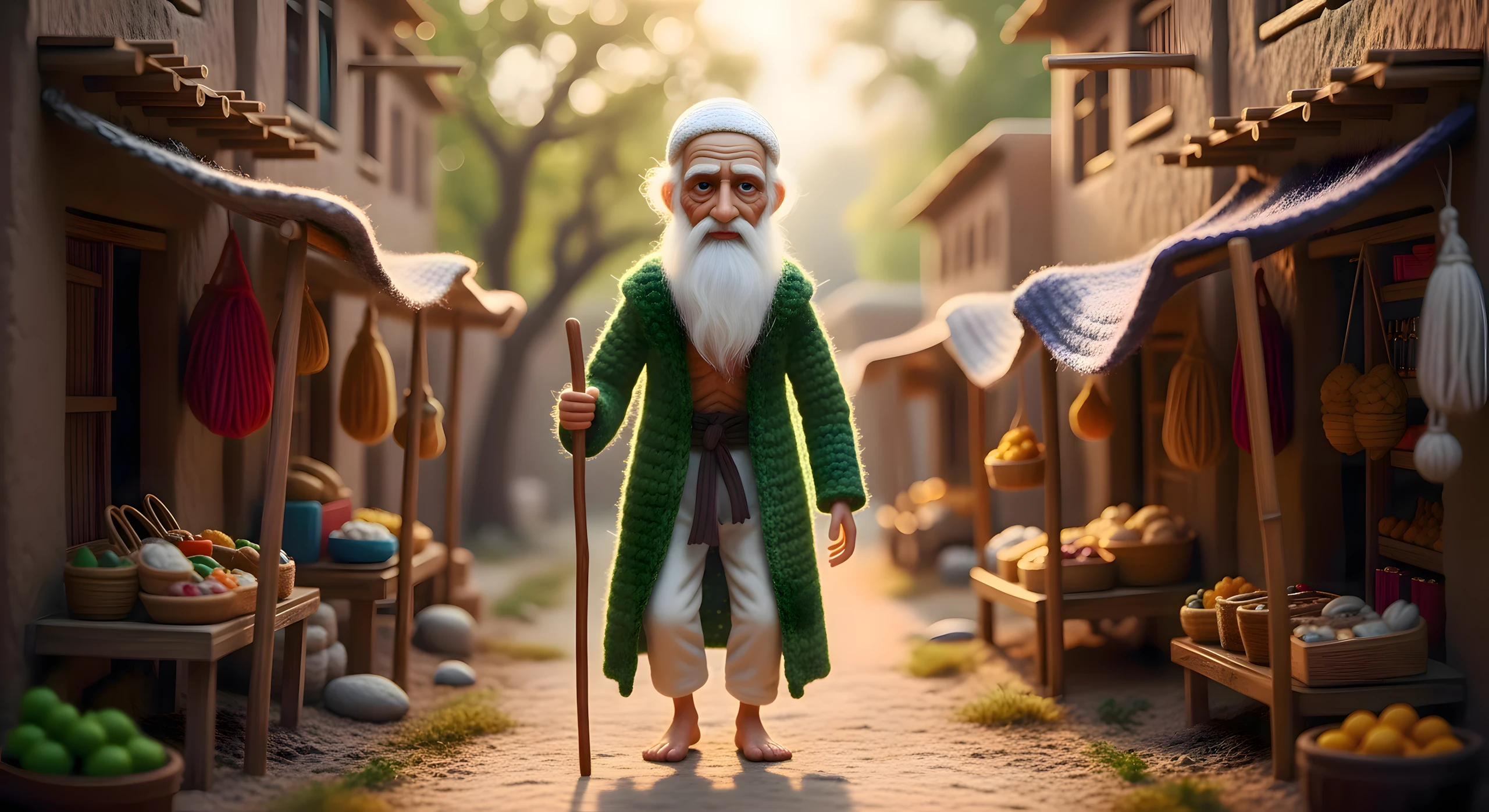
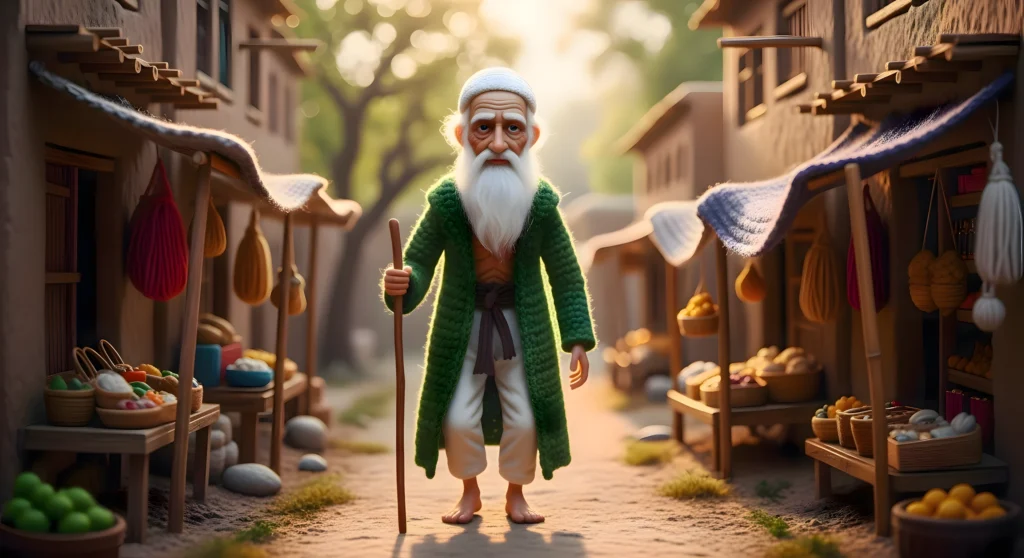
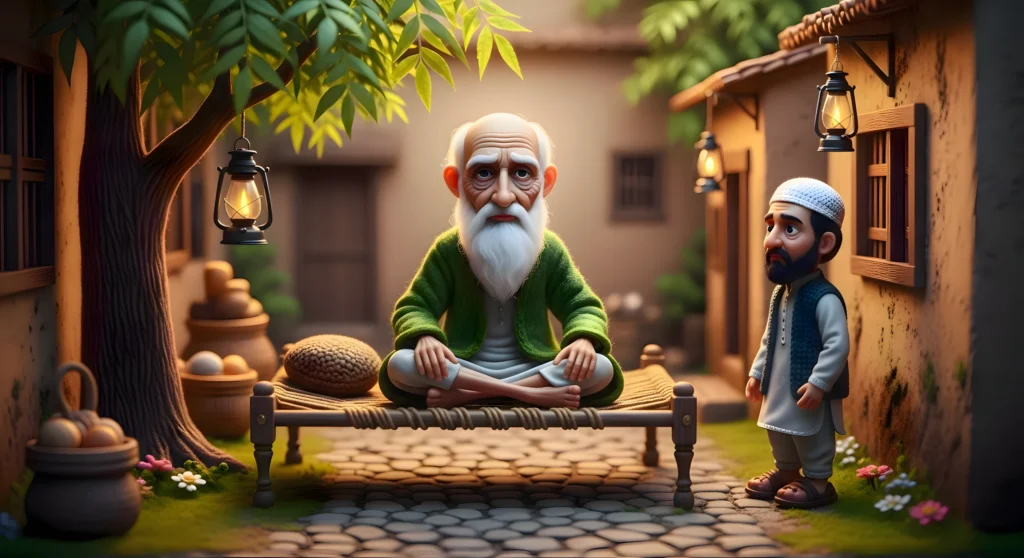
What to do: Decide your main character and world style (e.g., a 100-year-old Baba Ji with a long white beard; environment made primarily of wool/knitted textures; Pakistan-inspired cultural elements; no dialogue, only sound effects).
Why it matters: Consistency builds trust and recognizability. Viewers subconsciously return to channels that “look the same” every time.
Beginner mistake: Changing character appearance or clothing every scene. Fix: Lock your character description inside your master prompt.
Step 2 — Generate Story Titles in Claude
Paste your first master prompt into Claude and run it. You’ll receive multiple Urdu story titles. Read them and pick one that feels emotionally strong or spiritually meaningful.
Why it matters: The title guides the entire visual narrative and later becomes your thumbnail headline.
Beginner mistake: Picking a vague title. Choose one with clear stakes (e.g., “The Praying Elder Who Saved a Broken Family”).
Step 3 — Create 24 Structured Scenes
Enter the number of your chosen title in Claude. Request 24 scenes (ideal for ~2 minutes of video). Each scene should be 1–2 lines long.
Why it matters: This becomes your storyboard. Short scenes prevent clutter and keep pacing cinematic.
Beginner mistake: Asking for too much detail per scene. Keep it concise.
Step 4 — Generate Image + Motion Prompts (Batch by Batch)
Say “Yes” when Claude asks to create detailed image and motion prompts. It will generate them in batches of five scenes at a time — repeat until all 24 are done.
Why it matters:
- Image prompts = how the frame looks
- Motion prompts = how the camera or elements move
This separation gives you professional-level control.
Step 5 — Create Your First Image in Wisk
Copy Scene 1’s image prompt into Wisk, choose a large image size, and generate. Download the best result.
Why it matters: This becomes your visual “anchor” for character and environment.
Beginner mistake: Accepting the first image. Generate 3–4 variations and choose the most emotionally powerful one.
Step 6 — Lock Visual Consistency with Reference Images (Critical Step)
For Scene 2 onward:
- Upload your chosen Baba Ji image as a subject reference in Wisk.
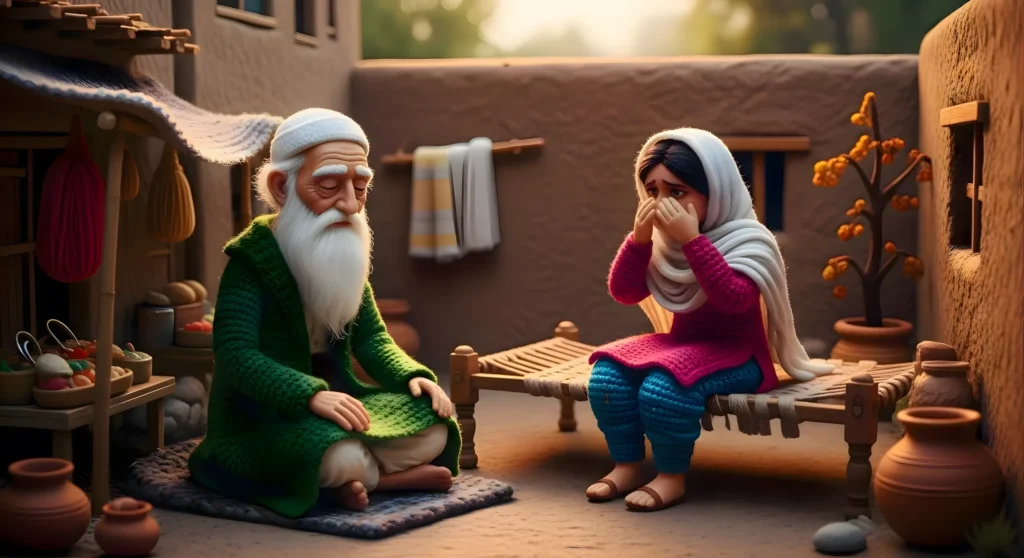
- Upload the main environment (e.g., the crying mother in the courtyard) as a scene reference.
Generate again. You should now see the same Baba Ji, same clothing, same house, same color palette.
Why this matters: Without references, AI will randomly change faces, clothes, or locations — destroying continuity.
Beginner mistake: Forgetting to keep references turned ON for key characters.
Step 7 — Repeat for All 24 Scenes
For every new scene, carefully decide:
- Which characters must stay the same? (mark as subject)
- Which environment must remain consistent? (mark as scene)
Build your entire visual story this way.
Step 8 — Convert Images to Video in Grok
For each image:
- Upload it to Grok
- Paste the corresponding motion prompt
- Generate the clip
You’ll receive a short video with subtle movement and built-in sound effects.
Why it matters: Small motions (camera push, soft light flicker, fabric sway) make the story feel alive without over-animation.
Step 9 — Assemble & Add Music
Import all clips into your editor, place them in order, and add gentle background music. Keep volume low so visuals remain the star.
Beginner mistake: Using dramatic or loud music. Spiritual stories work better with calm soundscapes.
MASTER PROMPT FOR ISLAMIC (knitted yarn texture) STORY VIDEO GENERATION
CHARACTER RULE (MANDATORY)

Whenever the main character appears in ANY image prompt. You MUST write the FULL character description.  Forbidden: “elderly man”, “old man”, “buzurg”, “wise man”

Required FULL description:

“A 100-year-old man, extremly thin and physically weak, fragile body, extreamly long pure white beard, wearing a green darvesh-style Islamic robe, noor-filled wrinkled face, deeply calm and spiritually powerful eyes, a silent aura of divine wisdom and mercy surrounding him”

This MUST appear every time the character is present in the scene.

CORE VISUAL STYLE (MANDATORY IN EVERY IMAGE PROMPT)

• 100 years Old man her face, body and Everything in the scene, including characters, people, there faces, bodies, animals, objects, and background, must appear **made of wool, yarn**

• crochet amigurumi diorama style

• fully knitted yarn texture

• handmade fiber art look

• visible yarn stitches

• soft toy realism

• miniature handcrafted scene

• ultra-detailed fiber depth

• warm cinematic lighting

• emotional storytelling

• bright and vibrant colors

STORY CONCEPT

• Main character is ALWAYS 100 years old man

• He possesses spiritual wisdom, patience, and divine insight

• Every story revolves around him silently teaching a moral lesson to another person

• Lessons are conveyed ONLY through visuals

• Visual storytelling must show transformation of another human being

ENVIRONMENT & CULTURAL RULES

• Entire environment is Pakistan-based

• All people look Pakistani

• Strong Islamic culture, modest clothing, adab and haya

• Locations: village streets, mud houses, mosque courtyards, charpai, neem trees, dawn/sunset light, fields, etc.

• NO dialogue

• NO narration

• NO text in scenes

STEP 1 — STORY IDEA TITLES

Generate 10 Islamic visual short story idea titles in Urdu.

Rules:

• Each title shows Old man silently teaching a lesson

• Moral lessons: sabr, shukar, rehmat, tawakkul, imaan, maafi, insaniyat, etc.

• Emotional and cinematic visual potential

• Suitable for 2-minute silent short stories

• Output ONLY titles, numbered 1–10

• STOP and wait for user to select one title

STEP 2 — SCENE BREAKDOWN

After user selects one title:

Generate 24 scenes.

Rules:

• 1–2 lines per scene

• Only visual description

• Show how Old man’s presence transforms another person

• Number scenes 1–24

• STOP after listing, ask:

“Do you want detailed image prompts and motion prompts for these scenes?”

STEP 3 — IMAGE & MOTION PROMPTS (BATCH SYSTEM)

ONLY after user confirms YES / CONTINUE

Batch rules:

• EXACTLY 5 scenes per batch

• For EACH scene, provide:

1) **Detailed Image Prompt (English)**

   - FULL Old man description

   - Pakistan-based Islamic environment

   - EVERYTHING in the scene made of wool, yarn, or fiber (including characters, people, animals, objects, background)

   - crochet amigurumi diorama style, fully knitted yarn texture, handmade fiber art look, visible yarn stitches, soft toy realism, miniature handcrafted scene, ultra-detailed fiber depth, warm cinematic lighting, emotional storytelling, bright and vibrant colors

   - Strong visual emotion, spiritual atmosphere

2) **Motion Prompt (English)**

   - Camera movement (pan, tilt, dolly, zoom, etc.)

   - Character movement

   - Environmental motion (wind, light, other people moving)

   - NO sound references

After EACH batch:

STOP and write only: “Next batch?”

NON-NEGOTIABLE RULES

• Never shorten the character description

• Never write “elderly man”

• Never omit wool/fiber detail for any object or background

• Never auto-continue batches

• Keep creativity high, repetition low

• Story must be fully understandable visually

Begin with STEP 1 now.
MASTER PROMPT FOR THUMBNAIL PROMPTS GENERATION
You are a professional Islamic visual designer and AI prompt engineer specializing in crochet/fiber art visuals.

Your task is to generate **one highly detailed thumbnail image** for a short Islamic story video.

INPUTS

• Story Title: [INSERT STORY TITLE HERE]

• Main Character: Allah ka Wali (FULL description must be included)

FULL character description (mandatory, every thumbnail):

“A 100-year-old Allah ka Wali, extreamly thin and physically weak, fragile body, extreamly long pure white beard, wearing a green darvesh-style Islamic robe, noor-filled wrinkled face, deeply calm and spiritually powerful eyes, a silent aura of divine wisdom and mercy surrounding him”

This character must be **clearly visible in the thumbnail**.

VISUAL STYLE RULES

• Entire scene, including character, background, and any objects, must appear **made of wool, yarn, or fiber**

• crochet amigurumi diorama style

• fully knitted yarn texture

• handmade fiber art look

• visible yarn stitches

• soft toy realism

• miniature handcrafted scene

• ultra-detailed fiber depth

• warm cinematic lighting

• emotional storytelling

• bright and vibrant colors

THUMBNAIL COMPOSITION

• The main character (Allah ka Wali) should be the **central focus**

• Background should support the story’s theme (e.g., village, mosque, street, field), but fully woolen/fiber style

• Include **elements that reflect the story title** visually (without text in the image)

• Composition must be cinematic, emotionally engaging, visually readable at small sizes (like YouTube/TikTok thumbnails)

OUTPUT

• Generate a **3 image prompt** in English

• Include FULL character description, story theme, and woolen/fiber style

• Describe camera angle / composition (close-up, mid-shot, eye-level, dramatic perspective, etc.)

• Do NOT generate multiple thumbnails at once

• Do NOT include text inside the image

EXAMPLE PROMPT STRUCTURE

“ featuring a 100-year-old Allah ka Wali, thin and physically weak, fragile body, 1.5 feet long pure white beard, wearing a green darvesh-style Islamic robe, noor-filled wrinkled face, deeply calm and spiritually powerful eyes, a silent aura of divine wisdom and mercy surrounding him, standing in a fully woolen village street, everything made of yarn and fiber including houses, trees, ground, animals, people, in crochet amigurumi diorama style, fully knitted yarn texture, handmade fiber art look, visible yarn stitches, soft toy realism, miniature handcrafted scene, ultra-detailed fiber depth, warm cinematic lighting, bright and vibrant colors, cinematic composition with close-up focus on the character, emotionally engaging”

RULES

• Full character description must appear

• Everything must be wool/fiber — character, background, objects, animals

• Thumbnail must be visually strong and cinematic

• No text in the image

• Bright, vibrant, emotional visuals

• Composition should read well at small sizes
Disclaimer:
These prompts are for educational purposes only. Results may vary depending on AI tool and customization.
Why These Prompts Work?
These master prompts act like a film production pipeline:
- Structure: They force 24 clear scenes instead of vague storytelling.
- Consistency: They repeat character traits (age, beard, clothing, wool style) in every prompt.
- Cinematic pacing: Short, focused scenes keep viewer attention.
- Separation of roles: Image prompts define what we see; motion prompts define how we move through it.
- Cultural grounding: Built-in environment details (e.g., Pakistan-inspired settings) make the world believable rather than generic.
In simple terms: you are replacing random AI outputs with disciplined visual storytelling.
Customization Tips
- Different culture? Swap “Pakistan-based environment” for Turkish, Arab, or South Asian settings in your prompt.
- Longer videos? Request 36–48 scenes instead of 24.
- Different art style? Replace “wool-knit” with “felt art,” “clay stop-motion,” or “paper cutout.”
- Add text? If you want subtitles, keep them minimal and poetic, not explanatory.
- Series format: Make multiple stories featuring the same Baba Ji for brand continuity.
Common Mistakes to Avoid
- Inconsistent characters: Always use reference images in Wisk.
- Too much motion: Subtle movements look more premium than exaggerated camera moves.
- Overcomplicated scenes: Simpler visuals often feel more emotional.
- Skipping thumbnails: A weak thumbnail kills even a great video.
- Chasing trends blindly: Stick to your theme and style for long-term growth.
- Loud music: It distracts from storytelling.
- Rushing: Generate multiple variations before choosing.
If you’d rather watch this entire process in video form instead of reading the article, the tutorial video is available below.
Conclusion
By following these steps with free AI tools like Claude, Bing Image Creator, Grok, and ChatGPT, you can create unique wool-textured Islamic story videos that captivate audiences and drive massive engagement. This untapped idea has proven viral potential, as seen in similar channels racking up millions of views. Start today, stay consistent, and watch your channel grow—Insha’Allah, the views and earnings will follow.