

How to Create Emotional Old Age Confession & Regret Videos With AI (Viral Storytelling)

Introduction (Why This Works Right Now)
Over the last few years, short-form and mid-length AI-assisted videos have completely changed how people consume stories on YouTube. Instead of polished studio productions, audiences are increasingly drawn to quiet, emotional, reflective, and human-feeling narratives. Channels that feature older people sharing life lessons, regrets, and wisdom perform particularly well because they tap into universal emotions: nostalgia, reflection, love, loss, and meaning.
This tutorial is valuable because it does not rely on luck or random viral trends. Instead, it teaches a repeatable workflow: how to generate ideas, write compelling scripts, create believable voiceovers, design an elder avatar, produce emotional images, and assemble everything into a cohesive, professional video — using mostly free tools. You will learn why each step matters so you can customize the process rather than blindly copy it.
Trend / Concept Explanation (Why This Format Is Popular)
Videos that center around an elderly person sharing deep life lessons are powerful because they feel timeless. Western audiences, in particular, respond strongly to themes like:
- “What I wish I knew earlier in life”
- “My biggest regret before it was too late”
- “What my spouse taught me before they passed”
Psychologically, these stories trigger empathy and self-reflection. Viewers imagine themselves in the elder’s position and subconsciously ask, “Am I making the same mistakes?” This emotional engagement keeps them watching longer.
AI is especially suitable for this workflow because:
- It can generate structured story ideas instantly
- It can craft polished, emotionally paced scripts
- It can create realistic elderly images without hiring actors
- It can convert text into natural-sounding speech
- It allows creators with only a smartphone to produce high-quality videos
Instead of replacing creativity, AI acts as a co-creator that handles technical and repetitive tasks while you shape the narrative direction.
Tools & Setup (What You’ll Need and Why)
Here are the key tools used in this workflow and their purpose:
- Claude (or ChatGPT) – For generating video ideas, professional scripts, and detailed image prompts. This is your creative brain.
- Google AI Studio (Text-to-Speech) – To generate realistic elder-style voiceovers. Tone and pacing are crucial for emotional impact.
- Wisk (or similar AI image generator) – To create a believable “elder avatar” and supporting images that match the story.
- Stock Video Sites (optional) – For short clips of older people if you don’t want to use an AI avatar.
- Dreamina (or similar AI avatar animator) – To make your chosen elder image “speak” with hand gestures synced to voice.
- Any Mobile Video Editor – To assemble clips, animate images using keyframes, and add background music.
- YouTube Audio Library – For subtle, emotional background music that enhances mood without distracting from the story.
Each tool plays a specific role: idea → script → voice → visuals → animation → final editing.
Step-by-Step Tutorial
Step 1: Generate Powerful Video Ideas
Use your master “video ideas” prompt in Claude. This forces the AI to think in terms of elder wisdom, regret, relationships, and emotional stakes rather than generic storytelling.
Why this matters: A strong concept is 70% of your video’s success. Weak ideas lead to weak engagement.
Common mistake: Picking random sad themes instead of structured, lesson-based concepts.
Step 2: Turn One Idea into a Professional Script
Paste your chosen idea into your “professional script generation” prompt. Specify your desired video length (e.g., 8–10 minutes).
Your script should include:
- A gentle hook (elder introducing themselves)
- A clear theme (what went wrong in their life)
- A turning point (realization or regret)
- A lesson (what viewers should learn)
Why this matters: Structured pacing keeps viewers engaged.
Beginner mistake: Letting AI write in one long paragraph instead of clear story segments.
Step 3: Create the Voiceover (Elder Tone Matters)
In Google AI Studio, generate the first few lines separately if you plan to animate an avatar speaking. Use style instructions like:
- Warm, calm, old person, regretful
Choose a deeper, slower, elderly-sounding voice. Then generate the rest of the script as one full voiceover track.
Why this matters: Tone carries emotion more than words alone.
Mistake to avoid: Using a young or overly dramatic voice.
Step 4: Design Your Elder Avatar (If You Don’t Use Stock Video)
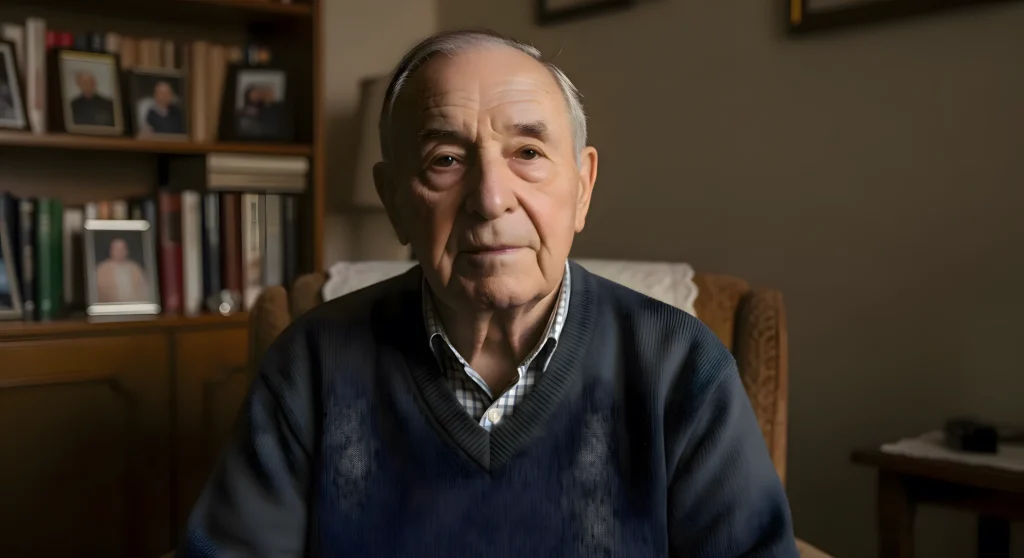
Use your avatar prompt in Claude to get three detailed image prompts. Paste one into Wisk to generate realistic elderly portraits. Pick the most natural-looking image.
Why this matters: Consistency of character builds trust with viewers.
Mistake: Choosing overly perfect or clearly “AI-looking” faces.
Step 5: Animate the Avatar (Make It Feel Alive)
Upload your chosen elder image and the short opening voice clip into Dreamina. Add “explanation gestures” so the avatar moves hands naturally while speaking.
Why this matters: Movement increases realism and retention.
Step 6: Generate Supporting Story Images
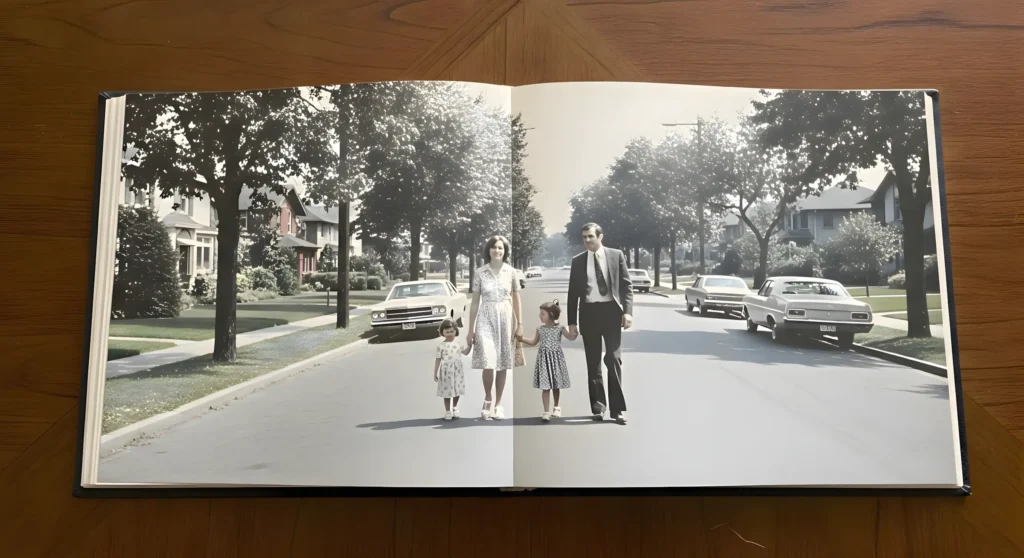
Use your image & motion prompt generator in Claude. Paste parts of your script, get detailed visual prompts, and generate images in Wisk that match key emotional moments (e.g., childhood photos, letters, family memories).
Step 7: Animate Images with Keyframes (Simple but Powerful)
In your video editor:
- Add a keyframe at the start of an image
- Slightly zoom in by the end (Ken Burns effect)
- Alternate zoom-in and zoom-out across images for visual rhythm
Why this matters: Subtle motion prevents the video from feeling static.
Step 8: Add Background Music and Export
Use soft, emotional music from YouTube’s Audio Library. Keep volume low so the voice remains the focus.
MASTER PROMPT FOR IDEAS GENERATION
Act as an extra ordinary narrative designer and YouTube content strategist specializing in emotionally restrained, first-person confession videos narrated by elderly individuals nearing the end of their lives.
Generate 20 YouTube video titles that strictly follow these guidelines:
Narrative Perspective
Every title must be written in first person.

The narrator’s age must fall between 70 and 90 years.

Emotional Core
Each topic should revolve around regret, loss, late realization, silence, or an unspoken truth.

The tone must be quiet, intimate, reflective, and subtly heavy — never motivational, energetic, or inspirational.

The emotional effect should leave viewers feeling unsettled, understood, or quietly emotional, not encouraged or uplifted.

Storytelling Rules
The meaning or lesson must be implied through lived experience, never stated directly.

Avoid advice, teaching, or moralizing of any kind.

Do not use lists, tips, frameworks, or instructional language.

Do not include “how to,” “mistakes,” or any numbered framing.

Focus on irreversible moments, missed opportunities, fractured relationships, identity, time passing, memory, mortality, and quiet truths that come too late.

Title Structure
Each title must begin with “I’m [age]…” or “I’m [age] and…”.

Use vague but emotionally charged language that creates curiosity without explaining the outcome.

Do not reveal the lesson, realization, or conclusion in the title.

Do not use emojis.

Output Requirements
Output titles only.

Use a numbered list.

Do not include explanations, descriptions, or commentary.

These titles should feel as if they were recorded because time is running out, not because the narrator wants attention or views.
Reference Style (for tone only):
I’m 89 and There’s a Question I Never Asked
I’m 90 and I Still Listen for Footsteps
I’m 88 and One Door Closed Too Quietly

(Do not include explanations — only titles.)
Disclaimer: These prompts are for educational purposes only. Results may vary depending on AI tool and customization.
MASTER PROMPT FOR PROFESSIONAL SCRIPT GENERATION
Act as an expert storyteller writing a deeply emotional, first-person YouTube narration from the perspective of an elderly person near the end of life.

REQUIRED PLACEHOLDERS (ONLY TWO)
VIDEO TITLE:
 [VIDEO_TITLE_HERE]

VIDEO LENGTH:
 [VIDEO_LENGTH_HERE — e.g., 12–14 minutes]


TASK
Write a single, continuous first-person narration script based on the following topic provided by the user.
The script must feel like a private confession, recorded quietly because the narrator feels they are running out of time, not to teach, motivate, or inspire.

STRICT REQUIREMENTS
The narrator must clearly state their name and age early in the script (age must be between 70–90).

Entire script must be written in first person.

Tone must be calm, intimate, reflective, and heavy with lived experience.

No motivational, instructional, or coaching language.

The realization must appear through memories and lived moments, never as advice.

No lists, bullet points, steps, or numbered ideas.

Avoid phrases like “how to,” “you should,” or “do this.”

Avoid hype, exaggeration, or inspirational clichés.


MANDATORY STORY FLOW
(Do not label sections)
Quiet emotional hook

Life context and emotional authority

Specific, irreversible memories and scenes

Gradual realization over time

Cost of waiting or misunderstanding

Quiet, lived truth

Reflective ending that lingers


STYLE RULES
Natural pauses, short paragraphs, breathing space.

Language must feel human, imperfect, and lived-in.

No clever metaphors, no famous quotes.

No moralizing or preaching.


LENGTH & BATCH GENERATION RULE
The script must match [VIDEO_LENGTH_HERE].

If [VIDEO_LENGTH_HERE] is long:

Generate the script in multiple batches to maintain quality.

Clearly label each response:

Script — Part 1

Script — Part 2

etc.

Each part must end at a natural pause, never mid-thought.

Maintain emotional and narrative continuity across all parts.


ENDING CTA (VERY SOFT)
End with a gentle, optional invitation to reflect, comment, or stay with the story.
 It must feel human and non-promotional.

This script should feel like something someone records late in life, sitting alone, finally saying what they wish they had understood sooner.
Disclaimer: These prompts are for educational purposes only. Results may vary depending on AI tool and customization.
MASTER PROMPT FFOR AVATAR PROMPTS GENERATION
Act as an expert cinematic AI visual director specializing in photorealistic, emotionally grounded first-person confession visuals narrated by elderly individuals.
TASK
Generate three highly detailed AI avatar prompts for the opening scene of a video.
Each avatar must strictly match the following identity and realism standards.

AVATAR PROFILE
Elderly individual, age 70–90, gender appropriate to the topic

Ordinary, believable facial structure — not model-like

Clearly visible wrinkles, softened aging skin, natural imperfections

Thoughtful, calm eyes carrying emotional weight

Neutral expression: no smile, no theatrical emotion


SCENE REQUIREMENTS
The avatar is seated on a couch or armchair inside a quiet, lived-in home

Environment feels warm, personal, and authentic

Living room or small study with:

Bookshelves

Framed family photographs

Soft daylight entering through a nearby window

Setting reflects a middle-class home — neither luxurious nor minimalist

Natural indoor lighting with soft shadows and realistic color tones


CAMERA & FRAMING
Static camera (no movement)

Medium close-up or chest-up framing

Eye-level perspective

No cinematic zooms, tilts, or dramatic angles


EMOTIONAL DIRECTION
The avatar appears as someone about to share a difficult personal truth

Body language is restrained, natural, and unforced

Mood is intimate, reflective, and quietly human

No exaggerated gestures or expressions


STYLE RULES
Fully photorealistic

Documentary-style realism

Not animated, not cartoon, not stylized

No text, captions, subtitles, watermarks, or logos


OUTPUT FORMAT (STRICT)
Start with the title: “AI Avatar Prompt”

Then provide one single paragraph prompt suitable for AI image or video generation tools

Do not explain anything

Do not generate a script

Do not add variations or multiple options

This avatar should feel like a real person sitting quietly, finally ready to say something they waited far too long to say.
Disclaimer: These prompts are for educational purposes only. Results may vary depending on AI tool and customization.
PROMPT FOR IMAGE PROMPTS GENERATION
Act as an expert visual storyteller specializing in quiet, memory-driven imagery for reflective YouTube narratives.
TASK
I will provide a script or story segment. Your task is to generate image prompts that visually translate the emotional memory of the story in the style of intimate, human-life documentary imagery.
The visuals must feel like recalled moments, not staged scenes.

STRICT VISUAL RULES
Do not show the narrator speaking or addressing the camera.

Avoid cinematic, dramatic, or stylized setups.

Every image must feel like a memory being looked at, not a moment actively unfolding.

Prefer:

Framed photographs

Photo albums

Old prints

Personal objects

Empty rooms

Hands holding photographs

Emotion must come from absence, distance, or what is missing, not from visible action.

Lighting must be soft, warm, natural, and domestic.

Overall look should feel realistic, imperfect, and gently faded.


FOR EACH STORY BEAT
Generate one image prompt that clearly includes all of the following elements:
The object or photograph being viewed

Who appears in the memory, including their approximate age

The environment (living room, bedroom, hospital corridor, office, study, home)

The emotional undertone (regret, distance, love, pride, absence, longing)

Camera perspective (close-up, shallow depth of field, hands holding a photo, over-the-shoulder)

Time-period cues (year, clothing style, furniture, photo aging, film quality)


STYLE GUIDELINES
Documentary realism

Natural skin texture and human imperfections

Subtle film grain

Slight softness or gentle blur

Restrained, natural expressions

No artificial polish or “AI-perfect” faces

No text, captions, or typography inside the images


OUTPUT FORMAT (STRICT)
Image 1:
 [Detailed image generation prompt]
Image 2:
 [Detailed image generation prompt]
Continue sequentially for each key moment in the story.

These images should feel like someone quietly opening an old album, pausing on each photo, and remembering what was there — and what never came back.
Disclaimer: These prompts are for educational purposes only. Results may vary depending on AI tool and customization.
Why These Prompts Work?
Your idea-generation prompt forces structure: clear themes, emotional arcs, and audience relevance. The script prompt ensures pacing, natural dialogue, and a meaningful takeaway. The image prompt breaks the story into visual beats so every spoken moment has a matching visual.
Together, they create consistency: same character, same mood, same storytelling style — which is crucial for building a recognizable channel identity.
Customization Tips
- Try different elder personalities: gentle grandfather, tough but wise veteran, lonely widow, or reflective teacher.
- Experiment with length: 6-minute videos for shorts-style storytelling, 10–12 minutes for deeper narratives.
- Swap tools: If you don’t like Wisk results, test other AI image generators.
- Localize: Adapt themes to different cultures or languages while keeping the same emotional core.
Common Mistakes to Avoid
- Overusing AI clichés – Make each story feel specific, not generic.
- Too fast pacing – Give emotional moments room to breathe.
- Bad voice tone – Avoid robotic or overly dramatic narration.
- No visual variety – Use multiple images, not just one.
- Loud music – Never let music overpower the voice.
If you’d rather watch this entire method in video form instead of reading the article, the video is available below.
Conclusion
Creating AI-powered life lesson videos is a low-effort, high-reward strategy for YouTube success. With minimal competition right now, consistent uploads can lead to millions of views and impressive earnings—just remember, steady effort is key. Start today, optimize for SEO with regret-themed titles, and watch your channel grow. If this guide helped, share it and check out more tutorials on radio tv.net. Let’s turn AI into your path to YouTube stardom!



Aslamualikum sir kisi bhi niche ma human touch kaise dain human value kaise add karen .Jazak Allah
Sir koi assy cartoon ka idea dyn k video b ling ho yani 10 se 15 minutes ki or prompts ko jab ma grok se generate krun to vo secquence se chalyn yani pehla prompt generate krny k bad jab dusra krun to video wahain se shuru ho same secquence se or full episode flow se bnay.Thanks
A\o\A sain acha is ki descrption to add kr deta sain
sir ap seo kerny tareeka bhi bataya kren ke videos viral kese hoti he