How to create Human History Videos | Viral channel Idea 🔥💯
Introduction
Short AI-generated storytelling videos are quietly dominating many feeds because they combine three things audiences already love: narrative, atmosphere, and visual immersion. Channels that perform well in this space don’t win because of flashy effects alone — they win because they tell clear, coherent stories that feel intentional rather than random AI clips stitched together. When visuals, sound, and pacing align with a strong story, viewers are far more likely to watch until the end, rewatch, and share.
This tutorial is valuable because it teaches a repeatable workflow, not a one-off trick. Instead of “type a prompt and hope for the best,” you’ll learn how to:
- generate structured video ideas,
- turn one idea into a complete story, and
- convert that story into ready-to-use text-to-video prompts that can include visuals and sound.
The approach is beginner-friendly, mobile-friendly, and tool-agnostic — meaning you can follow it with free AI tools available today. More importantly, you’ll understand why each step matters so you can adapt the process for your own creative style rather than copying someone else’s template blindly.
Why This Trend Works (Concept Explanation)
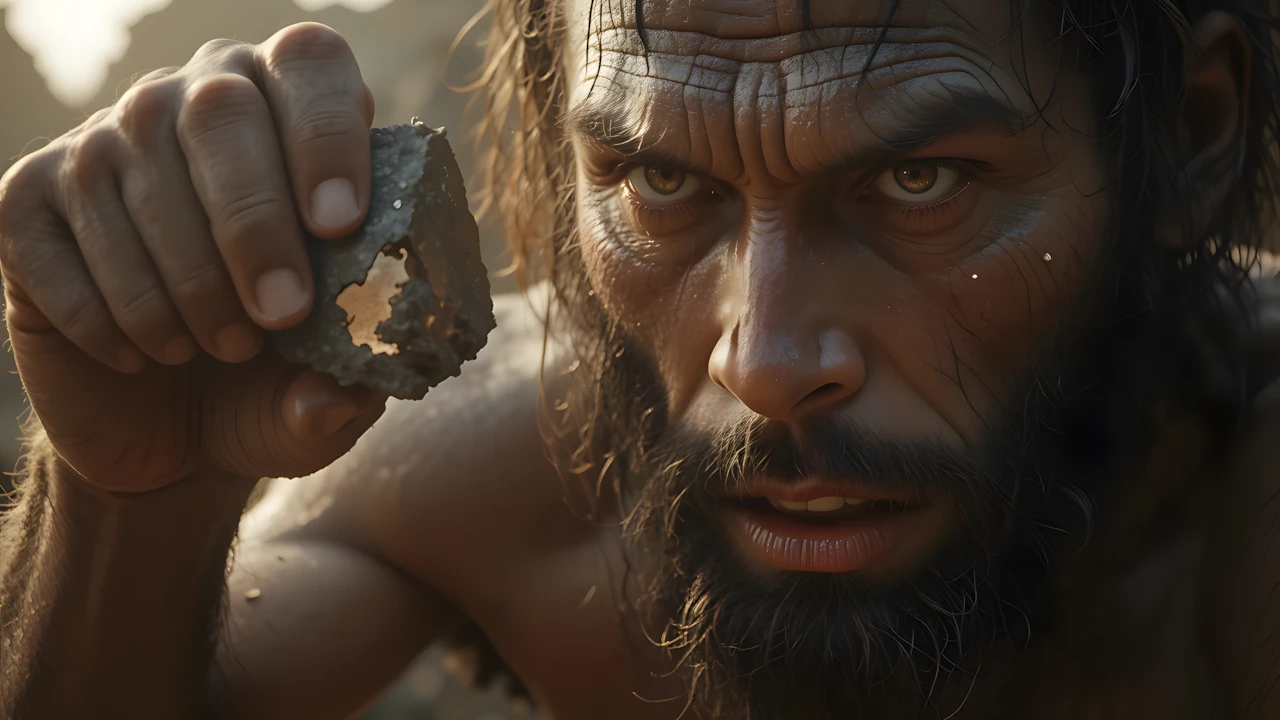
Videos themed around “life millions of years ago” are popular because they tap into natural human curiosity. Viewers are fascinated by ancient history, survival, nature, and how early humans lived before modern technology. These videos often feel cinematic and almost documentary-like, even when they are fictionalized. That emotional and educational tone keeps people engaged longer than purely comedic or random clips.
Audiences enjoy this format because it blends three experiences:
- Storytelling: A clear beginning, struggle, and resolution.
- Visual world-building: Prehistoric landscapes, wild animals, fire, and primitive shelters.
- Atmosphere: Music, ambient sounds, and movement that create immersion.
AI is especially suitable for this workflow because it removes major technical barriers. You don’t need cameras, actors, locations, or professional VFX. With structured prompts, AI can help you consistently generate scenes that visually match your story — something that would otherwise require a full production team.
Tools & Setup (What You Need)
Here are the main tools referenced in the workflow and their roles:
- An AI Chatbot (ChatGPT, DeepSeek, Claude, Grok, etc.)
- Used to generate:
- Video ideas and titles
- A full story based on one idea
- Text-to-video prompts based on that story
- Think of this as your “writer + creative director.”
- Used to generate:
- Google Flow / Google Veo (Text-to-Video)
- Used to turn your prompts into actual video clips with built-in sound effects.
- New accounts typically receive free monthly credits, making it beginner-friendly.
- Alternative Video Tools (Optional)
- Dream.com or Pika (Pika Labs) — other text-to-video platforms you can experiment with if you prefer different visual styles.
- Basic Video Editor (CapCut, VN, iMovie, etc.)
- For arranging clips in order, adding transitions, and placing your channel name or logo.
You don’t need paid software to start — the core of this method relies on free AI tools and simple editing.
Step-by-Step Tutorial
Step 1 — Generate Clear Video Ideas (Concept First, Tools Later)
What to do:
Start by generating multiple video ideas around “life millions of years ago.” The goal is to collect 10–20 potential titles or concepts before choosing one.
Why it matters:
Great videos start with great concepts. If your idea is weak or vague, no amount of AI visuals will make it compelling.
Beginner mistake to avoid:
Picking the first idea that appears without reading or comparing alternatives.
Step 2 — Turn One Idea into a Complete Story
What to do:
Take one of your favorite ideas and use a structured story prompt to ask the AI to write a detailed narrative (around 300–600 words, or longer if you prefer).
Why it matters:
Your story becomes the backbone of everything — your visuals, pacing, and scene transitions will all be based on it.
Beginner mistake to avoid:
Asking for a “short story” without specifying length, tone, or structure. This usually results in shallow, unusable outputs.
Step 3 — Convert the Story into Video Clip Prompts
What to do:
Use a dedicated prompt that takes your full story and breaks it into 20–40 cinematic text-to-video prompts.
Why it matters:
Instead of guessing what each scene should look like, you now have precise, AI-ready instructions that match your narrative beat by beat.
Beginner mistake to avoid:
Generating too few prompts for a long story — this leads to rushed or missing scenes.
Step 4 — Create Videos with Google Flow (Text-to-Video)
What to do:
- Go to Google Flow and sign in with your Gmail.
- Start a new project → choose Text-to-Video.
- Paste your first video prompt and generate an 8-second clip.
- Repeat for each prompt.
Why it matters:
Google Flow (Veo) can generate visuals and sound effects together, which saves you a lot of extra editing work.
Beginner mistake to avoid:
Changing prompts too much after every clip — trust your structured prompts and stay consistent.
Step 5 — Simple Editing (Keep It Clean)
What to do:
- Place clips in order on your timeline.
- Add smooth transitions between scenes.
- Add your channel name or logo.
- Avoid adding extra music or voiceover if your clips already include sound.
Why it matters:
Clean, simple editing makes your video feel professional without overcomplicating things.
Beginner mistake to avoid:
Overloading the video with effects, flashy text, or random music that breaks immersion.
Idea Prompt
Below is the master prompt used to generate video ideas and structured scenes. This is for learning purposes. You may customize it for your AI tool.
Act as a specialist in anthropology, prehistoric life, and survival storytelling.
 Your role is to generate YouTube documentary-style video titles for a channel dedicated to prehistoric humans, evolution, and survival narratives.

Title Format (Must Follow Exactly):

Start with a prefix: "Life [X Million Years Ago] | ..."
Occasionally, you may use: "Witness Life [X Million Years Ago] | ..." for variation.

Replace [X] with a scientifically realistic prehistoric time period (between 2–10 million years ago).
Examples:

Life 4.8 Million Years Ago | The Survival Diet of Early Humans
Witness Life 6.2 Million Years Ago | Birth of the Human Hunters
Life 6.4 Million Years Ago | The Story of the Earliest Humans
Style & Guidelines:

Titles must be serious, scholarly, and documentary-style—avoid clickbait.
Keep each title 8–15 words in length.
Each main title (after the “|”) should focus on one of the following themes:
Survival challenges (food scarcity, predators, harsh climates, sea migrations)
Daily prehistoric life (family, childbirth, protection, tribal behaviors)
Human evolution (from ape to ancestor, rise of Homo sapiens)
Encounters with megafauna or natural disasters
Ensure phrasing reflects the tone of anthropology and survival storytelling, not modern commentary.
Your Task:

Generate 15 unique YouTube video titles that strictly follow this format and thematic style.
Disclaimer: These prompts are for educational purposes only. Results may vary depending on AI tool and customization.
Prompt for Story
Story Requirements

Begin in Action:
Open with the tribe or hominid already engaged in survival activity (e.g., hunting, childbirth, migration, gathering, or facing danger).
Avoid slow introductions or generic scene-setting.
Epic Survival Focus:
The story must feel like a mythic struggle for life, not a passive nature description.
Every moment should emphasize raw survival, primal instincts, and ancestral resilience.
Continuous Flow:
Events should connect like falling dominoes—each action naturally triggers the next.
No disjointed scenes; the story should read like a cinematic sequence.
Conflict & Twists:
Introduce at least two major twists that raise the stakes (e.g., predator ambush, sudden storm, rival tribe encounter).
These conflicts must force the tribe into difficult, primal choices.
Climactic Struggle:
Build to a life-or-death climax (battle with predator, desperate escape, inter-tribal conflict, or survival against nature).
This moment should feel like the defining trial of the tribe.
Resolution & Emotional Payoff:
Conclude with a moment of healing, unity, or renewal (e.g., shared meal, successful migration, survival of a child).
The ending must feel earned, emotional, and symbolic.
Anthropological Accuracy:
Characters must match the species of the chosen era (Australopithecus, Homo habilis, Homo erectus, etc.).
Show authentic prehistoric survival methods, such as:
crafting and using stone tools
foraging or hunting as a group
carrying water with leaves or animal skin
using herbs for medicine
protecting children and elders
Environment & Setting:
Primary setting: savanna landscapes
May include: rivers, caves, forests, sudden storms, or fire.
Tone & Style

Cinematic, primal, and mythic.
No dialogue. All meaning must emerge through gestures, expressions, body language, and survival actions.
Narrative should feel like a prehistoric legend unfolding on screen.
Use tension and release cycles to grip the audience, gradually escalating until the climax.
Length Requirement

300–600 words
Prompt for videos
Below is the master prompt used to generate video ideas and structured scenes. This is for learning purposes. You may customize it for your AI tool.
Act as an expert in cinematic video prompt engineering for prehistoric survival films. Your task is to expand the story into exactly 20 cinematic video prompts.

Rules for Output

1. Each prompt must begin with "Scene [#]:”.

2. Each prompt must describe only one single action (no multiple beats).

3. The camera angle should not rotate randomly between prompts instead, it must always be the most cinematic and appropriate angle for that specific action (wide for landscapes, close-up for tension, low-angle for intimidation, etc.).

4. Environment: Always the African savanna in the style and color scheme of the reference images golden dry grasses, scattered acacia trees, pale sky, earthy browns, muted greens, dusty atmosphere. Include water features (river, stream, watering hole) if relevant.

5. Characters: Always Homo erectus, with:

Stocky, muscular builds.

Heavy brow ridges, flat noses, hairy limbs.

Primitive animal-hide clothing, rough and ragged.

Group size limited to 3-6 maximum, or solitary individuals.

6. Each prompt must include:

The environment (savanna/water in detail).

The characters (Homo erectus with accurate traits).

One cinematic action.

Mood/atmosphere (fear, tension, relief, bonding, exhaustion).

The most cinematic and fitting camera angle for that moment.

7. Continuity: injuries, tools, or character presence must remain consistent across prompts.

8. Length: each prompt should be 5-7 sentences, richly descriptive and cinematic.

9. Style: epic, primal, mythic like frames from an ancient survival epic.

Story to expand into video prompts:
Disclaimer: These prompts are for educational purposes only. Results may vary depending on AI tool and customization.
Why These Prompts Work
These prompts are powerful because they enforce structure rather than randomness. The first prompt ensures you get coherent ideas and titles, not scattered concepts. The second prompt acts like a storyboard generator, translating your story into cinematic visuals with clear motion, perspective, and mood.
Good prompts also guide pacing — quieter emotional moments get slower descriptions, while action scenes include dynamic movement. This keeps your final video feeling intentional instead of chaotic.
Customization Tips
- Change the era: Try “1 million years ago,” “Stone Age,” or “Ice Age” for different aesthetics.
- Adjust tone: Make stories darker, more emotional, or more hopeful depending on your brand.
- Vary clip length: Generate some 5–6 second clips for fast pacing, and some 10–12 second clips for emotional beats.
- Experiment with tools: Compare results from Google Flow, Dream, and Pika to find your preferred visual style.
- Build a series: Turn this into a recurring theme like “Ancient Survival Stories Part 1, 2, 3…”
Common Mistakes to Avoid
- Skipping the story stage — If you jump straight to video prompts, your clips will feel disconnected.
- Using too many different styles — Mixing very different AI aesthetics in one video looks messy.
- Ignoring sound design — Even ambient sounds add realism and engagement.
- Over-editing — Simple transitions often work better than flashy ones.
- Inconsistent posting — One video rarely builds an audience; consistency matters more than perfection.
If you prefer to watch this entire tutorial in video form instead of reading the article, the video is available below.
Conclusion
Following these steps lets you create professional, engaging AI videos about life millions of years ago entirely for free on your phone. The combination of custom prompts, Veo 3 (or alternatives), and minimal editing produces content that stands out and performs well. Start with one video today, publish consistently, and watch your channel grow. The tools and prompts are ready—your viral prehistoric series is just a few prompts away. Good luck, and happy creating!