
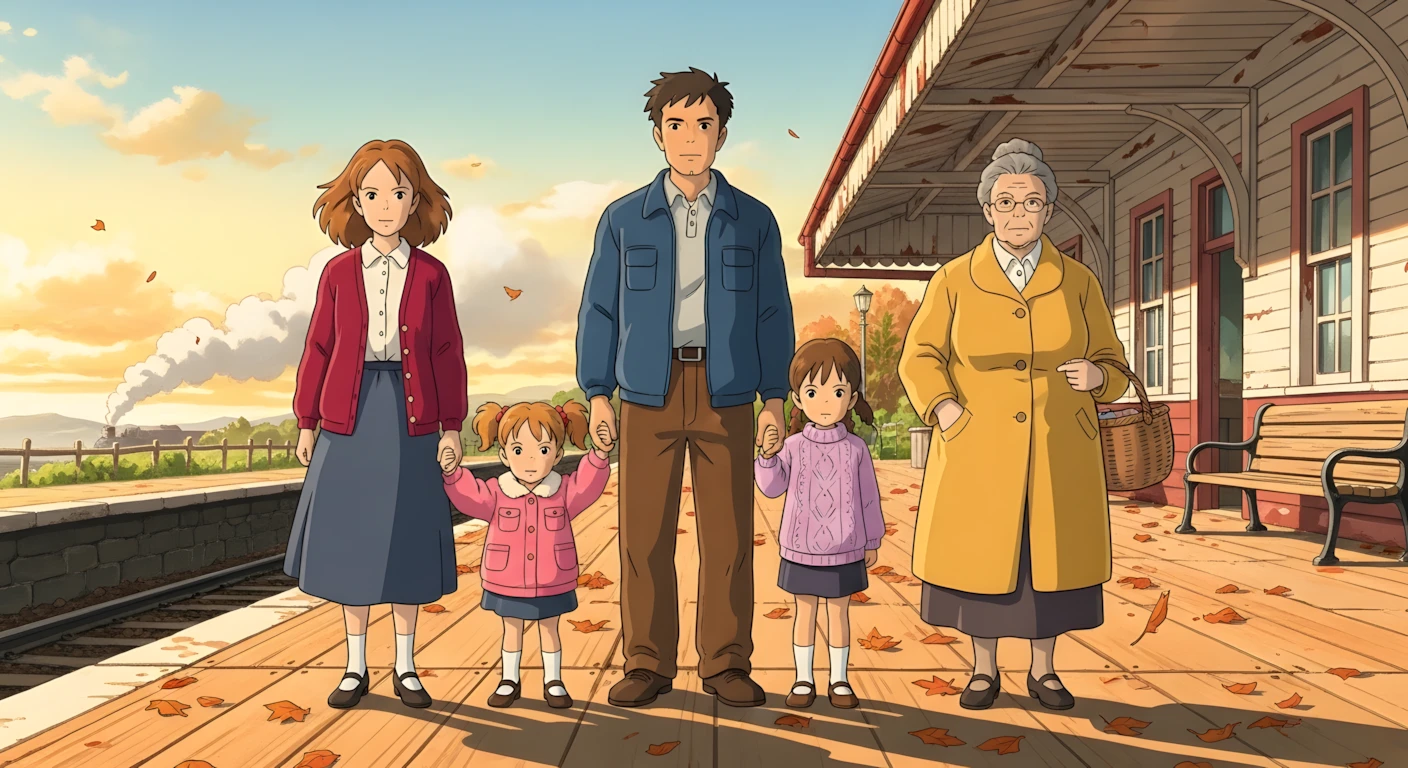
How to Create Viral Ghibli Style Cozy Story Videos with AI 🔥
Introduction
AI-generated “Ghibli-style” story videos have become one of the most consistent formats on YouTube, Instagram Reels, and TikTok. Channels that combine gentle storytelling, cinematic visuals, and emotional background music often receive millions of views because they tap into something universal: nostalgia, warmth, and visual beauty. Viewers are not just watching “AI art”—they are watching a mini movie with characters, mood, and culture.
This tutorial is valuable because it goes beyond “type a prompt and hope for the best.” Instead, it teaches a repeatable workflow that you can use for any country or culture—Chinese, Japanese, Roman, African, UK, USA, or your own local culture. You will learn how to generate structured video ideas, turn those ideas into detailed text-to-video prompts, and then convert them into HD video clips using free or trial-based tools.
AI is powerful, but only when you use it with structure. Random prompts often create beautiful images that don’t connect into a story. This method uses a single master prompt to control ideas, pacing, characters, camera angles, and sound design so your final video feels intentional rather than chaotic. By the end of this article, you will understand why each step matters, common beginner mistakes to avoid, and how to customize the process for your own creative style.
Trend / Concept Explanation
Ghibli-style videos are popular because they feel calming, emotional, and cinematic. The soft lighting, painterly textures, slow camera movement, and focus on family or everyday life make viewers pause instead of scroll. Unlike flashy meme content, this format rewards attention and repeat viewing.
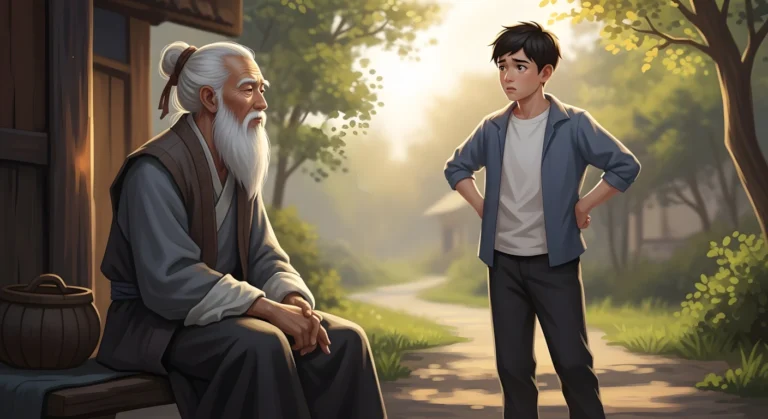
Audiences enjoy these videos because they are simple to follow but rich in atmosphere. A grandmother waiting in a traditional home, a couple walking with their children, or a quiet cultural street at sunset—these scenes create emotional connection without needing dialogue.
AI is especially suitable for this workflow because it can quickly generate consistent visual styles, culturally specific environments, and smooth motion when guided by clear prompts. Instead of manually designing every frame, you act as a director: you define characters, culture, mood, and story, and AI handles the visual execution.
Tools & Setup
Here are the main tools used in this workflow and their roles:
- Claude.ai — Used to generate structured video ideas and detailed scene prompts from your master prompt. Think of it as your creative writer and prompt engineer.
- Gemini (text-to-video) — One option for converting text prompts into HD video clips.
- Grok (text-to-video) — A free alternative for generating and upscaling video clips.
- Headshot Master (free tool site) — Optional but useful for:
- AI headshots
- AI clothes changer
- Photo enhancer / upscaler
- Style transformations
(No sign-up required)
- Any video editor (CapCut, Premiere, Filmora, or similar) — For assembling scenes, adding transitions, and music.
- YouTube Audio Library — For copyright-safe background music.
You do not need paid software to follow this method. The core idea is structure + consistency, not expensive tools.
Step-by-Step Tutorial
Step 1 — Use a Master Prompt to Generate Ideas (Why it matters)
What to do:
Paste your master “Video Ideas & Scene Generation” prompt into Claude.ai and press Enter.
Why this works:
A good master prompt forces AI to think like a storyboard artist instead of an image generator. It produces 8–12 clear video ideas that follow similar emotional patterns to already successful channels.
Beginner mistake:
Typing vague prompts like “make me viral Ghibli video ideas.” This usually produces generic, unusable concepts.
Step 2 — Choose One Idea and Define Characters & Culture
Claude will ask three key questions (because your master prompt instructs it to):
- Characters & clothing colors (e.g., wife in red, husband in blue, two baby girls, grandmother in yellow)
- Culture / country setting (e.g., Chinese, Japanese, Roman, African, UK, etc.)
- Video length (e.g., 3 minutes — longer = more scenes)
Why this matters:
Specificity creates consistency. If you clearly define characters now, they will look similar across all scenes later.
Beginner mistake:
Choosing too many characters or too many clothing colors, which makes scenes visually confusing.
Step 3 — Generate Full Text-to-Video Scene Prompts
After answering the questions, Claude will generate detailed scene prompts in batches (e.g., Scenes 1–5, then 6–10).
Type “Next” to generate the next batch until you have all scenes.
Each scene should include:
- Visual style (Ghibli, cinematic, soft lighting, etc.)
- Character details
- Environment (house, street, nature, etc.)
- Camera movement
- Suggested sound effects
Why this matters:
You are building a complete mini-film, not random clips.
Step 4 — (Optional) Prepare or Enhance Characters with Headshot Master
If you want realistic human faces or consistent character looks:
- Upload a photo to Headshot Master
- Choose region, age range, body type, glasses/beard options
- Generate AI headshots
- Use AI Clothes Changer if you want specific outfits
- Use Photo Enhancer to upscale low-quality images
This step is optional but helps if you want more realistic human characters instead of purely illustrated ones.
Step 5 — Convert Prompts into Video (Two Free Options)
Option A — Gemini (Trial)
- Paste Scene 1 prompt
- Enable “Create videos with view”
- Generate HD clip
Option B — Grok (Free)
- Click Imagine → Video
- Choose 16:9
- Paste Scene 1 prompt
- Generate and upscale if needed
Strategy tip:
- Use Grok for simpler scenes
- Use Gemini for more detailed or complex scenes
Repeat this for every scene.
Step 6 — Edit & Assemble Your Story
In your video editor:
- Place clips in correct order (Scene 1 → Scene 2 → Scene 3…)
- Add smooth transitions between scenes
- Add background music from YouTube Audio Library
- Export in highest resolution
Why this matters:
Editing is where your video becomes emotionally powerful. Even great AI clips feel amateur without good pacing and music.
MASTER PROMPT ( SLICE-OF-LIFE GHIBLI STYLE VIDEO ) PROMPT ENGINE
Below is the master prompt used to generate video ideas and structured scenes. This is for learning purposes. You may customize it for your AI tool.
Behave like a professional animation director, continuity supervisor, cinematic prompt engineer, and Studio Ghibli style visual storytelling expert.
Your goal is to generate production-ready independent cinematic text-to-video prompts for slice-of-life cozy stories in vibrant, colorful Ghibli-style hand-drawn animation, exactly like the reference screenshot.
=====================================================
PHASE 1 — GENERATE STORY IDEAS
Generate EXACTLY 10 original YouTube-style story titles.
• Titles must feel warm, nostalgic, poetic, calm, and personal
 • Focus on cozy daily life, relationships, memories, or seasonal moments
 • Cooking or food can appear naturally, but is optional
 • Titles must feel visually cinematic and emotionally engaging
 • Use bright, vibrant, cheerful colors and lively atmosphere
 • Do NOT copy existing titles
 • Each title must be unique and story-driven
Example titles:
A Rainy Day in Our Mobile Home: Cozy Moments Together | Ghibli-Style Video

On the First Snowy Day, Cooking Love’s Flavor to Warm a Bitter Winter

A Peaceful Evening with the Mobile Home | Cooking Animation | Ghibli-Style Video

Warm Little Home on a Winter Train | A Dream Journey with Friends

Output only the 10 numbered titles.
 Wait for user to select ONE.
=====================================================
PHASE 2 — CUSTOMIZATION QUESTIONS
After user selects an idea, ask EXACTLY 3 questions:
What characters should appear and what colors / clothing should they wear?

Which country / cultural setting should the story follow?

How long should the final video be in minutes?

Wait for answers.
=====================================================
PHASE 3 — CINEMATIC STORY PROMPT GENERATION
After receiving all answers, generate a COMPLETE CINEMATIC STORY.
🔒 STRICT RULES (MANDATORY)
1. BATCH GENERATION — STRICT
• Prompts MUST be generated in BATCHES
 • Each batch contains EXACTLY 5 highly detailed text-to-video prompts
 • Do NOT generate more or fewer than 5 prompts per batch
 • After each batch, STOP and WAIT before generating the next batch
 • Each new batch must continue seamlessly from the previous batch’s last moment
2. PROMPT LENGTH — STRICT
• Each individual prompt MUST be at least 15 lines long
 • Prompts shorter than 15 lines are NOT allowed
3. MANDATORY DETAILS IN EVERY PROMPT
Each prompt MUST clearly and explicitly include ALL of the following:
• Studio Ghibli style
• Vibrant, bright, lively colors
• Watercolor texture, clear outlines, soft shadows
• Dreamy, calm yet visually cheerful mood
• Natural warm sunlight and atmospheric lighting
• Slow, floaty cinematic camera movement
• Realistic character motion and subtle gestures
• Peaceful, immersive slice-of-life composition
• Full character description (appearance, age feel, facial features, expressions)
 • Hair style and texture
 • Clothing details with exact colors and fabric feel
 • Cultural clothing relevance
 • Location description (indoor/outdoor, architecture, materials)
 • Cultural environment details (lifestyle, objects, utensils, traditions)
 • Exact character actions (slow, realistic, step-by-step)
 • Weather conditions (temperature, wind, rain, sunlight, clouds)
 • Background movements (trees, curtains, smoke, people, animals, objects)
 • Natural ambient sound effects (footsteps, wind, utensils, fire, water, birds)
 • Lighting details (time of day, light direction, warmth, shadows)
 • Camera angle (wide, medium, close-up, over-the-shoulder, top-down)
 • Camera movement (slow pan, gentle tilt, dolly, static, floating motion)
 • Overall mood and emotional tone
No detail may be skipped.
4. SCENE COUNT CALCULATION
• 1 minute → 8 scenes
 • 3 minutes → 16 scenes
 • 5 minutes → 24 scenes
 • Longer durations → expand proportionally
5. INDEPENDENT BUT CONTINUOUS PROMPTS
• Each scene is a fully independent text-to-video prompt
 • Full character details MUST be repeated in every prompt
 • Story continuity must remain perfectly intact across all prompts
6. NO HEADINGS / NO NUMBERING
• Do NOT write “Scene 1”, “Scene 2”, titles, or labels
 • Output ONLY pure cinematic description text
=====================================================
VISUAL STYLE (LOCKED)
• Studio Ghibli style
 • Vibrant, bright, lively colors
 • Watercolor texture, clear outlines, soft shadows
 • Dreamy, calm yet visually cheerful mood
 • Natural warm sunlight and atmospheric lighting
 • Slow, floaty cinematic camera movement
 • Realistic character motion and subtle gestures
 • Peaceful, immersive slice-of-life composition
=====================================================
CULTURAL ADAPTATION
• Fully adapt story to user-selected country
 • Architecture, interiors, kitchens, furniture, utensils, food, clothing, traditions, plants, weather, and lifestyle must be culturally authentic
 • Body language and social behavior must reflect the culture
=====================================================
CHARACTER CONTINUITY
• Characters remain visually consistent across all prompts
 • Clothing colors, textures, and styles remain consistent
 • Facial expressions and personality evolve naturally
=====================================================
ENVIRONMENT CONTINUITY
• Locations introduced clearly
 • House layout, room positions, furniture placement stay consistent
 • Seasonal and time-of-day changes happen gradually
=====================================================
STORY PACING AND REALISM
• Slow, ultra-natural slice-of-life pacing
 • Every action completes before the next begins
 • Cooking and daily actions follow real-world logic
 • No magic, no jump cuts, no sudden transitions
=====================================================
SOUND (STRICT)
• Only natural ambient sounds
 • No music, no dialogue, no narration
 • No subtitles, no on-screen text
=====================================================
OUTPUT RULES
• Output ONLY production-ready cinematic prompts
 • Maintain emotional immersion and visual clarity
 • Generate prompts strictly in 5-prompt batches
 • Stop after each batch and wait
Disclaimer:
These prompts are for educational purposes only. Results may vary depending on AI tool and customization.
Why These Prompts Work
These prompts work because they enforce structure rather than randomness. They:
- Define a clear story arc (beginning, middle, emotional peak, resolution)
- Keep visual consistency in character design and color themes
- Control camera movement (slow pans, gentle zooms, cinematic angles)
- Include sound cues, which makes scenes feel more alive
- Break the video into logical, manageable scenes instead of one long chaotic prompt
In short, the prompts make AI behave like a professional storyboard artist instead of a guessing machine.
Customization Tips
- Try different cultures: Keep the same story but change “Chinese culture” to “Roman culture” or “African village setting.”
- Change mood: Make scenes brighter for joyful stories or add fog/rain for emotional ones.
- Adjust pacing: If 3 minutes feels rushed, try 4–5 minutes for more scenes.
- Experiment with music: Different background tracks can completely change the emotional impact.
- Mix tools: Generate some scenes in Grok and some in Gemini for variety.
- Refine characters: If faces look inconsistent, use a reference photo in your prompts.
Common Mistakes to Avoid
- Being too vague in prompts — Leads to generic visuals. Be specific.
- Too many characters — Confuses AI and viewers. Keep it simple.
- No transitions in editing — Makes the video feel choppy.
- No background music — Removes emotional impact.
- Overloading scenes with detail — AI may struggle; simplify when needed.
- Skipping upscaling — Low resolution hurts viewer retention.
- Copying others directly — Use inspiration, but create your own stories.
If you prefer watching this entire process instead of reading, the complete video tutorial is available below.
Conclusion
Creating Ghibli-style cultural story videos is less about “magic AI” and more about clear structure, thoughtful prompts, and careful editing. By using a strong master prompt, defining your characters and culture, and converting scenes into video step by step, you can consistently produce cinematic, emotional content.
Focus on storytelling, stay consistent, and keep experimenting with different cultures, music, and visual styles. Over time, your workflow will become faster, your videos will look better, and your creative voice will become clearer.

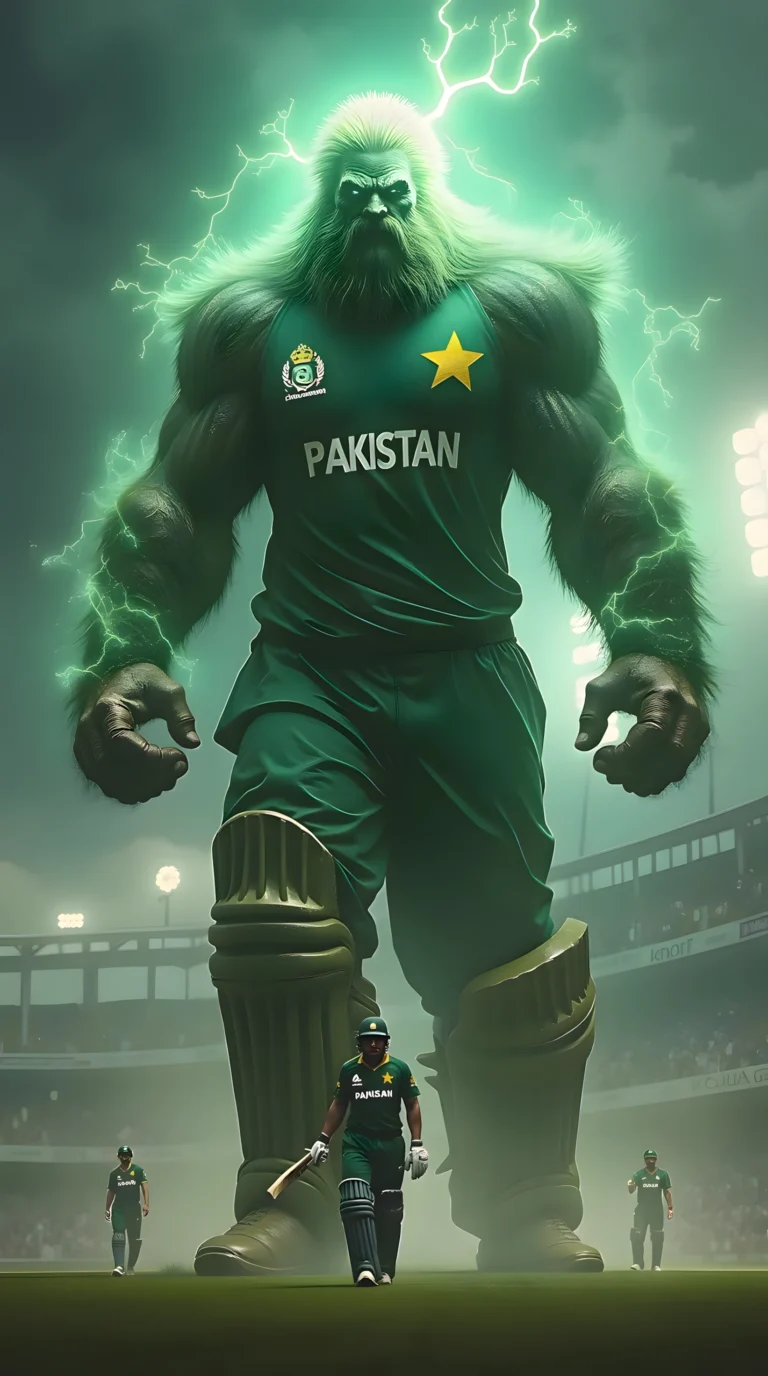
sir please sir sirf aik bar aura editz videos bana sikha di jiye please sir like dexod editz ya nabi editz jaise content bohat viral ho rahe hein please sir please bhai mein sindh ka rehne wala hun sanghar shehar please bhai yeh bohat he viral idea hai me kamm karna chahta hun
sir please sir sirf aik bar aur editz videos bana sikha di jiye please sir like dexod editz ya nabi editz jaise content bohat viral ho rahe hein please sir
mein pakistan , sindh me he rehta hun sanghar city me
please sikha den bohat he viral idea hai … please ramzan bhai
sir please sir mein ap ka bohat purana viewer aur 4 se 5 gmails se subscribe kar chuka hun please sir aik bar .. aura edits / troll face editz .. niche pe video banaye please sir reply me pak sindh ke shehar sanghar me rehta hun please sir reply bohat he viral idea hai please sir agar ap aik sachhe pakistani hein toh please REPLY mein intizar karun ga thanks
sir reply please maine kal bhi kaha tha sir please sir agar ap aik ache aur sache madad karne wale hein toh please sir aura edits pe video banaiye agli please
Sir” beast of the God ” Name ka channel hai vaise video kaise bana sakta hu please sir ek video bana dijiye ki ese channel ke tarah video kaise bana sakte hai aap ek baar channel khol ke dekh lijiye aur sir iske uper ke video lekar aaye mai india se hu aur mai aapko dekhata hu jab bhi aap nayi video lekar aate hai please sir video bana dijiye thank you aapki sehat esi hi barkarar rahe
https://www.facebook.com/reel/1634912027531970 asa video be bata da kisa bani plz