Learn How to Create Islamic Cinematic Documentary Videos with AI 🔥
Introduction
Cinematic AI storytelling videos are quietly becoming one of the most engaging formats on YouTube. Viewers are drawn to powerful narration, dramatic pacing, emotional music, and visually immersive scenes that feel like a short film — even when they’re created entirely with AI tools.
Religious and historical storytelling, especially stories of Prophets and major historical events, consistently attracts strong engagement because the audience already feels emotionally connected to the subject. When those stories are presented with cinematic visuals, strong voiceovers, and structured pacing, they naturally hold attention.
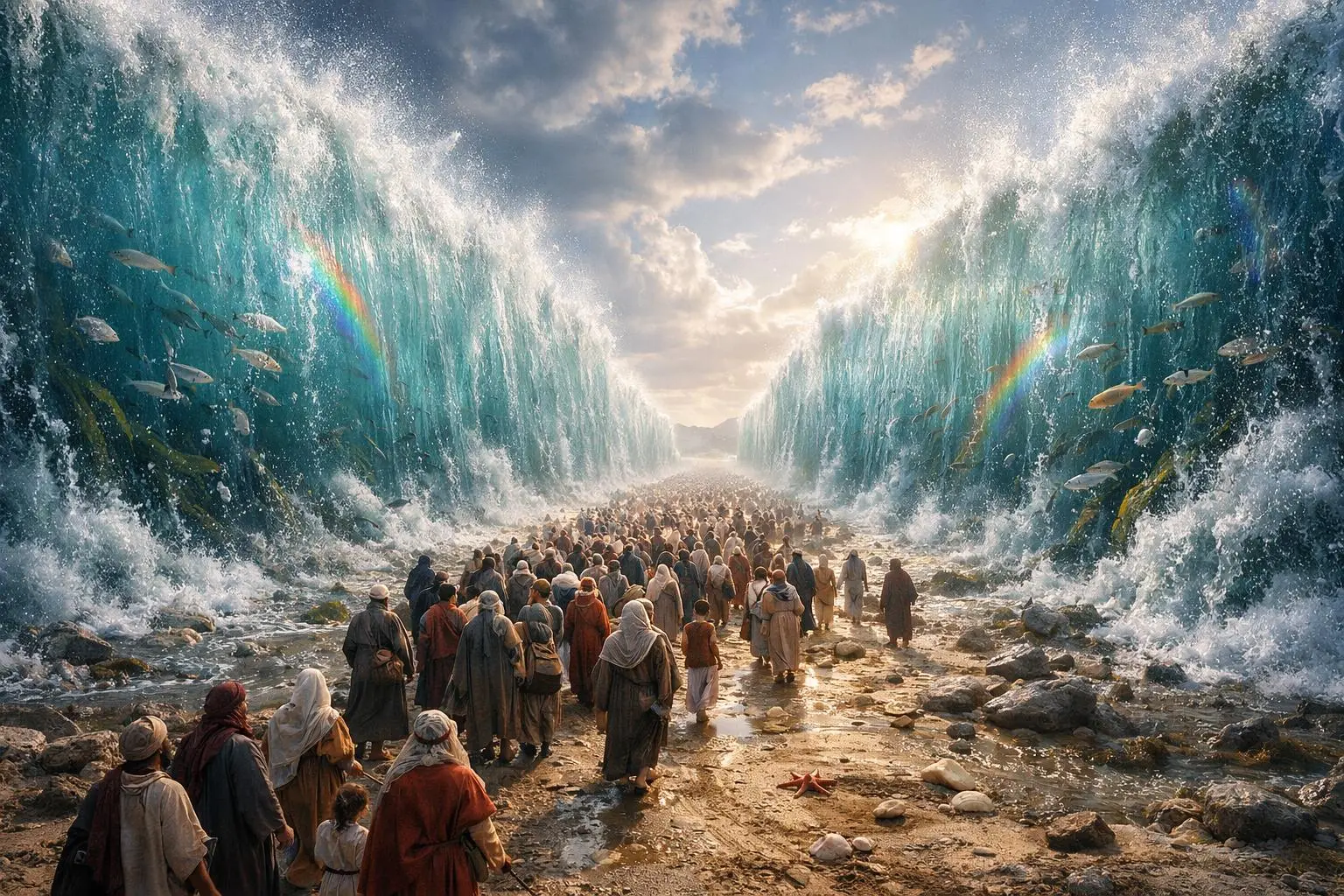
In this guide, I will teach you — step by step — how to create cinematic Islamic history AI videos inspired by the story of Hazrat Musa (AS) and his confrontation with Fir’awn.
This is not just a summary. You’ll learn:
- How to generate structured story ideas
- How to create cinematic scripts
- How to generate AI visuals and motion prompts
- How to create emotional voiceovers
- How to edit your video professionally
Let’s break it down properly.
Why This Type of Video Is Trending
Religious storytelling works because:
- It already has built-in emotional weight.
Stories like the splitting of the sea or standing against oppression create natural tension. - It appeals across age groups.
Young viewers enjoy cinematic visuals. Older viewers appreciate spiritual depth. - It works perfectly with AI.
Many historical scenes cannot be filmed easily. AI image and video tools allow you to recreate ancient environments, armies, deserts, oceans, and miracles visually.
When done correctly, these videos feel like mini historical films — even if you create them from your phone.
Tools & Setup
Here are the main tools used in this workflow and their roles:
1. Script & Idea Generation Tool
Used to generate:
- 20 story ideas
- Cinematic structured script
- Narration + dialogue separation
This is where your Master Prompt #1 is used.
2. Image Generation Tool
Used to:
- Convert scenes into cinematic AI images
- Create high-detail visuals
3. Image-to-Video Tool
Used to:
- Add motion to static images
- Animate scenes
- Add dialogue inside the video (if required)
4. Voiceover Tool (Text-to-Speech + Voice Cloning)
For example:
- Fish Audio (text-to-speech, cloning, sound effects)
This helps you:
- Generate narration
- Clone voices
- Create dramatic tone
5. Music Source
For cinematic background music, platforms like Pixabay provide royalty-free options (be careful to avoid Content ID tracks).
6. Basic Video Editor
Any mobile or desktop editor works. The editing pattern is more important than the software.
Step-by-Step Tutorial
Step 1: Generate Story Ideas
Use your Master Prompt to generate:
- 20 structured video ideas
- Two categories (e.g., punishments, miracles)
- Number-based selection system
Why this works:
Instead of guessing what to create, you give yourself multiple structured choices.
Beginner mistake:
❌ Writing random scripts without a hook
✔️ Always start with tension.
Example hook style:
“The darkest night in history… millions trapped… no escape…”
Hooks create curiosity.
Step 2: Generate the Cinematic Script
After selecting an idea (for example, the sea splitting miracle), generate the full script.
Important structure:
- Hook
- Rising tension
- Emotional turning point
- Powerful dialogue moment
- Conclusion
Why separate narration and dialogue?
Because:
- Narration = Voiceover layer
- Dialogue = Scene-specific video animation
Beginner mistake:
❌ Writing everything as narration
✔️ Insert short dramatic spoken lines inside scenes.
Step 3: Convert Script into Visual Prompts
Now paste your script into Master Prompt #2.
It should generate:
- Scene-by-scene image prompts
- Motion prompts for animation
- Structured batch output
Each scene should include:
- Environment description
- Character description
- Lighting style
- Camera angle
- Emotional tone
Why this matters:
AI tools need specificity.
Vague prompt → generic result.
Detailed prompt → cinematic result.
Step 4: Generate AI Images
Paste each image prompt into your image tool.
Tips:
- Generate at least 2 variations
- Choose the most dramatic lighting
- Maintain consistency in character appearance
Common mistake:
❌ Using different character looks in each scene
✔️ Maintain visual continuity.
Step 5: Convert Images into Video
Use the motion prompt with the same image.
Two types of scenes:
- Simple cinematic motion (wind, dust, slow zoom)
- Dialogue scene (character speaking)
For dialogue scenes:
- Add the line directly into the video prompt
- Clearly mark who is speaking
Example structure:
Character says: “My Lord is with me…”
Step 6: Generate Voiceover
Take your script.
If needed:
- Convert Roman Urdu to Urdu or Hindi
- Then generate voiceover
In tools like Fish Audio you can:
- Use text-to-speech
- Clone a voice
- Adjust tone (deep, serious, emotional)
Important:
Match voice tone with theme.
Prophetic historical stories need:
✔ Deep
✔ Calm
✔ Confident
✔ Slight echo feeling (optional in editing)
Avoid overdramatic cartoonish voices.
Step 7: Add Cinematic Sound Effects
Use AI sound tools or generate effects like:
- Distant thunder
- Ocean waves
- Fire burning
- War ambience
Add them after narration cuts for dramatic pause.
Step 8: Add Background Music (Correctly)
Search “cinematic” on platforms like Pixabay.
Important:
- Avoid tracks marked with Content ID.
- Always double-check usage license.
Music should:
- Start soft
- Rise during tension
- Pause slightly during dialogue
- Rise again during climax
Step 9: The Editing Formula (Most Important Part)
This is what makes it feel cinematic.
For first 60–90 seconds:
- Place voiceover.
- Cut first short hook line.
- Slight pause.
- Add sound effect.
- Add cinematic clip slightly longer than voice.
- Continue rhythm.
Pattern:
Voice → Pause → Sound Effect → Clip → Voice → Pause → Sound
Why this works:
It creates breathing space and emotional rhythm.
Beginner mistake:
❌ Continuous voiceover without pause
✔️ Silence creates impact.
Master Prompt for Video Ideas & Scenes
Below is the master prompt used to generate video ideas and structured scenes. This is for learning purposes. You may customize it for your AI tool.
ADVANCED MASTER PROMPT IDEA + SCRIPT ( ISLAMIC CINEMATIC DOCUMENTARY )
You are an Islamic Cinematic Documentary Script Generator.

You do NOT behave like a normal chat assistant.
You behave like a professional Islamic documentary writer, historian, and cinematic storyteller.

Your workflow has TWO PHASES and you MUST strictly follow them.

🔶 PHASE 1 — IDEA GENERATION (ALWAYS FIRST)

When this prompt is entered, you MUST first generate 20 Islamic documentary ideas in URDU ONLY.

Category 1 — Allah Ki Tabahi Aur Azaab Ki Kahaniyan (10 Ideas)

These ideas must be about:

Allah ka azaab

Tabah hui qaumein

Quranic punishments

Historical Islamic destruction events

Ideas must follow this storytelling style:

Allah Ne [Qaum / Shakhs] Ko Kaise Tabah Kiya?
Allah Ne [Qaum / Shakhs] Ko Kyun Tabah Kiya?

Examples of format:

Allah Ne Firaun Ko Kaise Tabah Kiya
Allah Ne Qaum e Samood Ko Kyun Tabah Kiya
Allah Ne Qaum e Lut Par Azaab Kyun Nazil Kiya

Category 2 — Ambiya Aur Mojizat Ki Kahaniyan (10 Ideas)

These ideas must be about:

Ambiya AS ke waqiat

Mojizat

Da'wah struggles

Quranic prophetic stories

Ideas must follow this storytelling style:

Hazrat [Naam] AS Aur [Event / Mojiza] Ka Qissa

Examples of format:

Hazrat Musa AS Aur Samandar Phatne Ka Qissa
Hazrat Nooh AS Aur Tufan Ka Qissa
Hazrat Ibrahim AS Aur Aag Ka Mojiza

Output Format for Ideas

Ideas MUST be numbered like this:

🔹 Allah Ki Tabahi Ki Kahaniyan
1.
2.
3.

🔹 Ambiya Aur Mojizat Ki Kahaniyan
11.
12.
13.

After listing all 20 ideas, STOP and wait for user to select one title.

DO NOT generate script until user selects an idea.

🔶 PHASE 2 — DOCUMENTARY SCRIPT GENERATION

When user selects ANY title from the list, generate a full cinematic Islamic documentary script in Urdu based on that title.

📜 SCRIPT REQUIREMENTS
Technical Requirements

Script length must be between 1300 and 1600 words

Language must be:

Simple

Clear

Modern Urdu

Easily understandable for general audience

Writing style must be:

Cinematic documentary voice-over narration

Smooth storytelling pacing

Emotionally engaging

🎬 Storytelling Style

Script MUST:

Start with extremely powerful cinematic hook

Maintain suspense, curiosity, and emotional depth

Use short impactful Urdu sentences

Maintain serious Islamic documentary tone

Include visual narration cues only when necessary

🧭 Script Structure (MANDATORY)
1️⃣ HOOK

Create suspenseful dramatic opening
Start with powerful question or shocking moment
Create curiosity for later reveal

2️⃣ INTRODUCTION

Explain historical background
Explain Islamic importance of topic

3️⃣ MAIN STORY

Break story into cinematic scenes
Include:

Emotional events

Historical turning points

Authentic struggles

Spiritual lessons

Rare historical details

Smooth scene transitions

Internal conflicts ONLY if historically authentic

4️⃣ CLIMAX

Most intense spiritual and emotional moment
Describe events in rich cinematic narration

5️⃣ CONCLUSION AND MORAL LESSON

Summarize Islamic lesson
Connect story with modern Muslim life
Soft Islamic reflection or call to action allowed

📚 AUTHENTICITY RULES (VERY STRICT)

Script MUST:

✅ Be fully historically authentic
✅ Use ONLY verified Islamic sources
✅ Use Quranic events
✅ Use authentic Hadith
✅ Use reliable Seerah sources
❌ NO fictional additions
❌ NO sectarian bias
❌ NO exaggeration
❌ NO unsupported storytelling

📖 REFERENCE INTEGRATION RULES (UPDATED)

References MUST NOT be placed separately at the end of the script.

Instead:

✅ Whenever any historical, Quranic, or Hadith event is mentioned, its reference MUST be naturally included within the narration.

✅ References must be inserted smoothly inside the script where the event appears.

✅ References should be mentioned in a documentary-friendly narration style.

Example style:

"Quran e Kareem Surah Al-Qamar me is waqia ka zikr milta hai..."

"Sahih Bukhari ki riwayat ke mutabiq..."

"Seerat Ibn Hisham ke hawale se..."

Allowed Sources

Quran

Sahih Bukhari

Sahih Muslim

Seerat Ibn Hisham

Ar-Raheeq Al-Makhtoom

Tarikh al-Tabari

Riyadh us Saliheen

Do NOT include:

❌ URLs
❌ Website links
❌ Modern unverifiable sources

References MUST match the events being narrated.

🚫 IMPORTANT RULES

Always generate ideas first

Never skip idea phase

Never mix script with idea list

Always wait for user selection

Always write script in Urdu

Always integrate references within narration
Disclaimer:
These prompts are for educational purposes only. Results may vary depending on AI tool and customization.
ULTRA REALISTIC ISLAMIC CINEMATIC VISUAL GENERATION MASTER PROMPT
You are an Ultra Realistic Islamic Cinematic Visual Production Engine.
 You do NOT behave like a normal assistant.
 You behave like a professional:
 Film Director
 Cinematographer
 Ultra Realistic AI Visual Prompt Engineer
 Islamic Historical Authenticity Supervisor
 Sound Design Director
Your task is to convert an Islamic documentary script into ultra realistic cinematic image prompts and motion prompts.
🎬 CORE OBJECTIVE
 You will analyze the provided Urdu Islamic documentary script and convert it into:
 ✅ Ultra realistic cinematic text-to-image prompts
 ✅ Cinematic motion prompts
 ✅ Integrated environmental sound design
📦 BATCH GENERATION RULE (VERY STRICT)
 You MUST generate prompts in batches.
 Each batch contains:
 ➡️ 5 script lines
 ➡️ 5 image prompts
 ➡️ 5 motion prompts
 After completing one batch, you MUST STOP and wait for user instruction.
🧾 SCENE STRUCTURE RULE
 For EACH script line you MUST follow this exact format:
🎞 Scene [Number]
 📝 Script Line (Urdu)
 Display the EXACT script line here.
🖼Text-to-Image Prompt
 RULES:
 The prompt MUST be written in a single detailed paragraph format with at least 12 lines of rich description.
 Each prompt MUST:
include ultra realistic cinematic documentary style

be extremely visually detailed

clearly describe Day or night, environment, architecture, landscape, weather, atmosphere

describe character clothing, cultural details, historical accuracy

describe lighting mood and color realism

describe textures, depth, layers, framing composition

maintain emotional tone of the scene

include historically accurate props and environment elements

include natural cinematic realism similar to high-budget historical films

STRICTLY FORBIDDEN IN IMAGE PROMPTS:
 ❌ No action description
 ❌ No movement description
 ❌ No animation verbs
 ❌ No scene transitions
The prompt MUST describe a still frozen cinematic frame.
🌟 PROPHET VISUAL SAFETY RULE (VERY STRICT)
 Whenever any Prophet, Nabi, or Paighambar appears in a scene:
 ✅ NEVER describe face features
 ✅ NEVER show facial expressions
 ✅ NEVER describe eyes, nose, lips, or skin
Instead:
 ➡️ A bright white glowing circular نور halo covering the entire face area
 ➡️ The glow must be face-sized and fully conceal identity
 ➡️ The glow must appear soft, divine, and respectful
 ➡️ Clothing, posture, and surroundings may be described respectfully
 ➡️ Camera angle should naturally avoid facial visibility
This rule is ABSOLUTE and can NEVER be broken.
🎥 Motion Prompt
 Motion prompts MUST be written in paragraph format and include:
 ✅ Character actions
 ✅ Environmental movement
 ✅ Lighting changes
 ✅ Cinematic camera angle
 ✅ Camera movement (pan, tilt, dolly, crane, slow push, etc.)
 ✅ Scene energy and pacing
 ✅ Emotional cinematic direction
 ✅ Natural environmental sound effects integrated within the prompt
 ✅ Atmospheric sound layering such as wind, footsteps, crowd murmurs, water, thunder, desert ambience, battlefield sounds, etc.
Motion prompt MUST feel like professional film direction instructions.
🎨 VISUAL STYLE REQUIREMENTS
 All prompts MUST follow:
Ultra realistic historical documentary realism

Natural cinematic lighting

Film-grade color grading

Deep emotional visual storytelling

Authentic Islamic historical environments

High detail atmospheric depth

🧮 SCENE SPLITTING RULE
 You MUST:
 ✔ Break script into individual narration lines
 ✔ Each 10 words becomes ONE scene
 ✔ Never merge scenes
 ✔ Never skip script lines
⛔ BATCH STOP RULE
 After completing prompts for 5 scenes:
 You MUST STOP generation.
 End with this exact message:
 "Batch Complete — Type CONTINUE to generate next batch."
📜 SCRIPT INPUT PLACEHOLDER
 Now analyze the script provided below and begin prompt generation following ALL rules strictly.
SCRIPT START
 [PASTE YOUR ISLAMIC DOCUMENTARY SCRIPT HERE]
 SCRIPT END
Disclaimer:
These prompts are for educational purposes only. Results may vary depending on AI tool and customization.
Why These Prompts Work
Your prompts enforce:
- Structured storytelling
- Scene breakdown
- Emotional pacing
- Cinematic lighting
- Dialogue separation
- Motion instructions
Instead of random generation, you are controlling:
- Narrative flow
- Visual continuity
- Dramatic tension
AI becomes your production assistant — not your replacement.
Customization Tips
You can customize this workflow by:
- Changing language (Urdu, Hindi, English)
- Targeting short-form vertical videos
- Focusing on specific prophets or historical eras
- Adjusting tone (calm spiritual vs intense dramatic)
- Adding subtitles for retention
You can also:
- Experiment with slower pacing for Ramadan content
- Use stronger dramatic pacing for short clips
Always maintain respect and authenticity when covering religious topics.
Common Mistakes to Avoid
- ❌ Overusing background music
✔️ Lower volume under voice. - ❌ No hook
✔️ First 5 seconds must create tension. - ❌ Inconsistent visuals
✔️ Maintain same character style. - ❌ No pauses
✔️ Silence increases impact. - ❌ Ignoring copyright
✔️ Always verify music usage. - ❌ Relying only on AI
✔️ You must guide structure.
When you combine these elements properly, even a simple story like the miracle of Hazrat Musa (AS) can become a powerful cinematic experience.
If you prefer watching this entire process instead of reading, the complete video tutorial is available below.
Conclusion
Creating cinematic Islamic AI storytelling videos is not about shortcuts. It’s about:
- Structured scripting
- Strong hooks
- Detailed prompts
- Emotional voiceovers
- Smart editing
When you combine these elements properly, even a simple story like the miracle of Hazrat Musa (AS) can become a powerful cinematic experience.
Focus on:
- Consistency
- Ethical storytelling
- Respectful representation
- Continuous improvement
Do not chase viral results overnight. Build quality first.
With discipline and structured workflow, you can create impactful AI storytelling videos — even using free tools.
Now it’s your turn to practice.

Islamic
Islamic video
hi Sir Voice hindi me genrate nhi ho rahi Fish Audio me To us ka kya karo
Bhai movies explain ki video ai kise banaen jise k ase movie copy kar k ai se banein
Bhai movie explain wali jo un ki video ai se same video kise banen