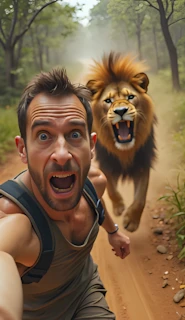
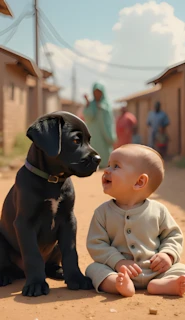
How to create Disaster + emotional story videos with Ai
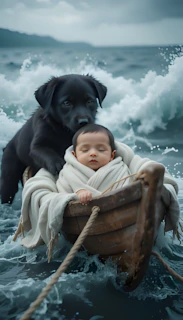
Introduction (Why This Works)
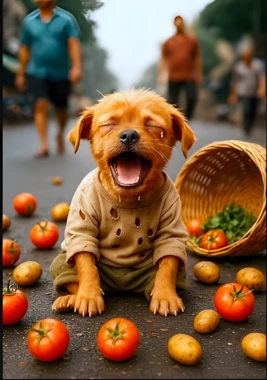
Short, emotionally driven AI videos are among the most-watched formats on platforms like YouTube, TikTok, and Shorts right now. They succeed not because of flashy effects, but because they tap into universal human feelings—empathy, protection, friendship, and hope. When viewers see a vulnerable child in danger and a loyal animal stepping in to help, it triggers a powerful emotional response that encourages them to watch till the end, like, and share.
This tutorial is valuable because it doesn’t rely on luck or vague “viral tricks.” Instead, it teaches a repeatable workflow that combines storytelling, AI image generation, AI video tools, and basic editing in a structured way. You are not simply copying someone else’s content—you are learning a system: how to think of ideas, generate stories, turn them into visual scenes, add narration, and assemble everything into a polished video.
AI is particularly useful here because it allows creators with no filming equipment, actors, or animation skills to still produce cinematic, emotionally engaging videos. However, results depend on creativity, consistency, and careful execution—not magic. By the end of this guide, you will understand both the “how” and the “why” behind each step, so you can customize this process for your own channel.
Trend / Concept Explanation
These animal-rescue videos are popular for three main reasons:
1. Strong emotional hook:
Humans are naturally drawn to stories of survival and protection, especially involving children and animals. A baby in danger + a caring animal creates instant tension and emotional investment.
2. Simple, universal storytelling:
There is usually no complex dialogue—just music, visuals, and a clear narrative: danger → struggle → rescue → happy ending. This makes the content easy to understand across different cultures and languages.
3. Perfect fit for AI tools:
AI excels at generating dramatic environments (storms, floods, fires, snow) and expressive animals without real-world risk or production costs. You can iterate quickly, test different animals, and refine your visuals without filming anything in real life.
Instead of copying the exact “baby + puppy” idea, a smarter approach is to keep the emotional formula but experiment with different animals—like a baby rabbit, panda, deer, or stray kitten—so your content feels fresh rather than duplicated.
Tools & Setup
Here are the key tools used in this workflow and why they matter:
1. ChatGPT (or similar AI text tool)
- Used to generate structured rescue stories and later convert them into Hindi narration.
- Helps you think creatively without starting from scratch.
2. AI Image Generators (e.g., Piclumen / Certa AI)
- Turn each scene of your story into a detailed visual image.
- 9:16 vertical format is important for Shorts/Reels.
3. Image Upscaler (Pixelcut or CapCut Upscaler)
- Increases image resolution so your final video looks sharper and more professional.
4. AI Image-to-Video Tools (Hello AI / Kling AI)
- Animate your static images into realistic moving scenes.
5. Text-to-Speech (ElevenLabs or TTS OpenAI)
- Converts your story into a clear, engaging voiceover.
6. Video Editor (CapCut, VN, or any editor)
- Combines all clips, narration, music, and sound effects into one final video.
Step-by-Step Tutorial
Step 1 — Generate Your Rescue Story
Paste your story-generation master prompt into ChatGPT and replace the animal name with your choice (e.g., “black puppy,” “baby rabbit,” or “baby panda”).
Why this matters:
A structured story gives your video direction. Without it, your scenes may feel random.
Common beginner mistake:
Choosing an animal that doesn’t emotionally connect with viewers. Stick to innocent, gentle-looking animals.
Step 2 — Select One Story & Break It Into Scenes
Pick the story you like most and copy it. You will later convert this into image prompts.
Why this matters:
Each scene becomes one visual frame in your final video. Clear scenes = smoother storytelling.
Beginner tip:
Aim for 7–9 scenes total—enough to tell a story, but not too long for short-form video.
Step 3 — Convert Story Into Image Prompts
Use your second master prompt to turn the story into detailed image descriptions.
Why this matters:
AI needs precise visual instructions (lighting, setting, action, mood) to create cinematic images.
Mistake to avoid:
Vague prompts like “storm scene.” Be specific: “dark stormy sky, crashing waves, frightened child in a small wooden boat.”
Step 4 — Generate Images (9:16 Format)
Paste each image prompt into Piclumen or Certa AI and generate vertical images.
Why this matters:
Vertical format is optimized for YouTube Shorts, TikTok, and Instagram Reels.
Step 5 — Upscale Your Images
Upload each image to Pixelcut or CapCut Upscaler to improve quality.
Why this matters:
Higher resolution images produce better-looking AI videos.
Step 6 — Create Voiceover
Paste your story into ChatGPT and ask: “Convert this into modern Hindi.”
Then generate speech using ElevenLabs or TTS OpenAI.
Why this matters:
Narration makes your video more engaging and understandable than music alone.
Step 7 — Convert Images to Video
Upload each image to Hello AI or Kling AI, paste the same prompt that created that image, and generate a short animated clip.
Key tip:
Always use the same prompt that was used to create the image—this gives the most consistent motion results.
Step 8 — Edit Everything Together
In your video editor:
- Arrange clips in story order.
- Trim silent gaps in the voiceover.
- Add smooth transitions.
- Add background music (lower volume).
- Add sound effects (waves, wind, barking, etc.).
Why this matters:
Good editing makes AI content feel professional instead of random or choppy.
Below is the master prompt used to generate video ideas and structured scenes. This is for learning purposes. You may customize it for your AI tool.
STORY GENERATING PROMPTS
1: A Little Miracle in the Earthquake Rubble

An old village is suddenly hit by an earthquake. Buildings collapse, the ground cracks, and debris scatters everywhere. A baby wrapped in a cloth is buried under a collapsed wall, but survives. A black puppy digs his way through the rubble, digs with his tiny paws, and reaches the baby. The puppy lies down next to the baby to keep him warm. Hours later, when rescue teams arrive, the puppy barks and pulls the baby out alive. Both the puppy and the baby are kept together.

2: A Lonely Baby in Heavy Rain

A village is experiencing heavy rain. The rivers are boiling, and mud is spreading everywhere. A newborn baby wrapped in a cloth is lying alone in the rain, soaking wet. The black puppy runs into the falling rain, and covers the baby with his body. He gets wet himself, but he protects the baby from the rain. Then, the puppy slowly takes the baby to a broken hut. In the morning, when the villagers come to see the situation, they are surprised to see the little boy and the brave puppy. The boy and the puppy are united forever.

3: Love in a Storm

A fierce storm hits a village by the sea. The winds blow, the water spreads everywhere. A newborn baby wrapped in a cloth is seen drifting to the shore of a small boat. Black Puppy swims through the strong waves to reach the baby. He grabs the corner of the cloth with his teeth and pulls the boat to the shore. With great difficulty, he rescues the baby and takes it to a high hill. Two days later, rescue teams arrive and save both of them. The boy and Black Puppy become each other's companions forever.

ye 3 stories example ke tor par ap ko di hay in ko mind me rakho or ishi tarhan ki 5 stories likho, magar stories me animal same ik hi hona chahiay jo ke ik {Animal Name} hay, or har story me newly born baby hona chahiy jo ke kapre me lipta hua hay
Disclaimer:
These prompts are for educational purposes only. Results may vary depending on AI tool and customization.
IMAGE PROMPT
Is story ke har scene ke hiasab se detailed image prompts likho, consistancy mantain rakhni hay har scene me is liay jis bhi scene me baby ya puppy ka zikar aye wahan puppy ye baby ki jaga un ki descriptions likhni han, puppy ka size bhi mention karna hay or camera angle bhi, prompts english me hone chahiay
Disclaimer:
These prompts are for educational purposes only. Results may vary depending on AI tool and customization.
If you’d rather watch this entire method in video form instead of reading the article, the video is available below.
Conclusion
Creating AI-generated emotional animal rescue videos is a game-changer for aspiring YouTubers, offering a low-effort path to viral success and financial freedom. By following these steps, you can produce content that resonates deeply, builds a massive audience, and monetizes effectively. Remember, consistency and creativity are key—start today, and watch your channel grow. For more AI content creation tips, subscribe and stay tuned!